What if the websites and apps you use every day were designed in a way that made them difficult or even impossible for some people to use? That is exactly where Accessibility Testing comes in. As digital experiences become a part of almost every aspect of life, organisations are under growing pressure to ensure their products can be used by everyone, including people with visual, hearing, mobility, and cognitive disabilities.
This has created a growing need for professionals who can identify accessibility barriers, test digital products against accessibility standards, and help development teams build more inclusive experiences. And the interesting part is that Accessibility Testing is no longer just a niche area within software testing. It is emerging as a specialised career path for QA professionals, testers, developers, UX professionals, and even beginners looking to enter the technology industry.
But what does an Accessibility Tester actually do? What skills do you need? Which tools and standards should you learn? Can a fresher build a career in this field? And what does the career path look like from beginner to experienced professional? This guide takes you through Accessibility Testing from start to finish, covering the fundamentals, essential skills, testing techniques, tools, standards, career opportunities, and the practical knowledge you need to build a career in this growing field.
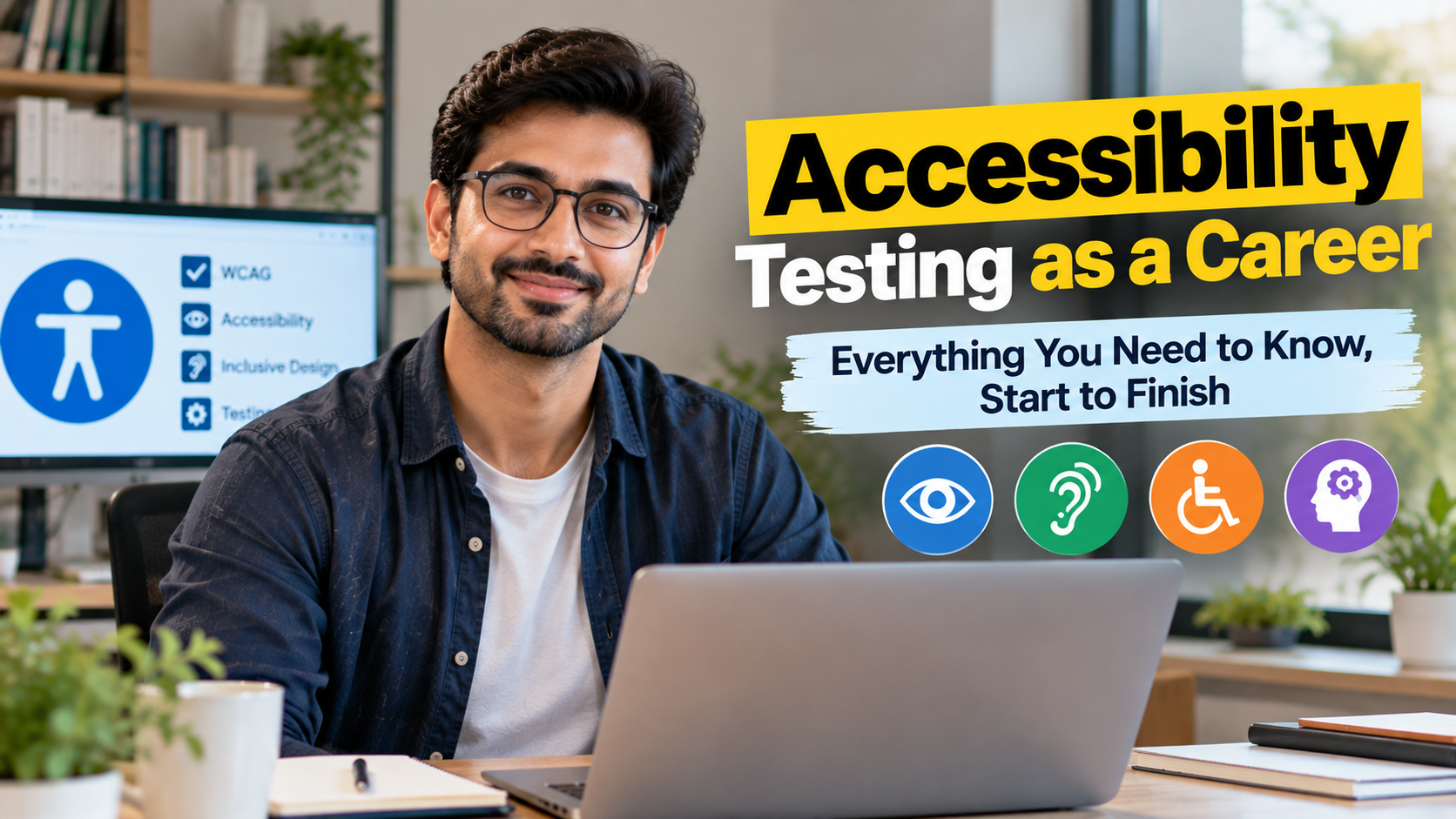
Accessibility Testing as a Career: Everything You Need to Know, Start to Finish
1.3 billion people live with a disability. 96.3% of websites still fail basic accessibility guidelines. New laws across three continents just made closing that gap mandatory, not optional — and there aren’t nearly enough trained people to do the work. This is a complete, ground-up guide to what accessibility testing actually is, what the job looks like day to day, and how to build a genuine career in it.
Most people’s first encounter with the phrase “accessibility testing” is accidental — a job posting that mentions WCAG, a compliance email from legal, a screen reader demo that makes them realise how much of the web they’ve never actually seen the way millions of people experience it every day. This guide starts from zero and builds all the way up: what accessibility testing is, why demand for it has surged sharply in the last two years, what the work actually looks like, what it pays, and how to build a genuine, durable career in it.
A note on how this guide is put together
Facts, figures, and salary data in this piece are compiled from multiple 2025–2026 sources — WebAIM, the World Health Organization, ZipRecruiter, Level Access’s State of Digital Accessibility report, and current legal and regulatory reporting — which vary by methodology and region. Where sources disagree, that’s noted explicitly rather than smoothed over.
What Is Accessibility Testing?
Accessibility testing is the practice of evaluating digital products — websites, mobile apps, software, documents — to confirm they can actually be used by people with disabilities: people who are blind or have low vision, people who are deaf or hard of hearing, people with motor impairments who can’t use a mouse, people with cognitive or learning disabilities who need clear, predictable interfaces. It sits at the intersection of quality assurance, front-end development, and human-centred design, and it’s grown from a niche specialism into one of the fastest-professionalising corners of tech.
The core question an accessibility tester answers is deceptively simple: can someone using a screen reader, or navigating entirely by keyboard, or relying on captions, or working with a cognitive disability, actually complete the same tasks a non-disabled user can? Answering that question properly requires understanding assistive technology, testing methodology, and the legal and ethical frameworks the field is built on — all of which this guide covers in full.
Accessibility testing isn’t a checklist bolted onto QA. It’s the discipline of proving, not assuming, that a product actually works for the people it was built for — all of them.
That last figure is worth sitting with for a moment. This isn’t a theoretical or emerging niche — it’s a field with a genuine, current, and growing hiring pipeline, driven by a combination of ethical responsibility, business advantage, and, increasingly, hard legal requirement. The next chapter walks through exactly why that legal pressure has intensified so sharply in the last two years, because understanding it explains almost everything else about why this career is worth building right now.
Why This Field Exploded: The Legal Wave
Accessibility has always been the right thing to build for ethical and commercial reasons alike — a more usable product for millions of people is, unsurprisingly, also good for a business. But what’s genuinely changed in the last eighteen months is that accessibility stopped being discretionary in an increasing number of jurisdictions, and started being enforceable law with real financial consequences.
| Region / Law | What Changed |
|---|---|
| European Accessibility Act (EU) | Became enforceable on 28 June 2025, covering banking, e-commerce, and other consumer products and services across all 27 EU member states, regardless of where the selling organisation is headquartered |
| ADA Title II (US) | From 24 April 2026, state and local governments serving populations over 50,000 must ensure their digital presence conforms to WCAG 2.1 Level AA; smaller jurisdictions follow by April 2027 |
| Section 508 (US) | Mandates that all US federal agencies meet WCAG 2.0 Level AA across their websites, software, and digital tools |
| RPWD Act & IS 17802 (India) | India’s Rights of Persons with Disabilities Act, updated in 2023, introduced IS 17802 — a WCAG-aligned national standard for ICT accessibility, with support for regional languages built in |
The consequences of non-compliance are no longer hypothetical. Plaintiffs filed 3,117 website accessibility lawsuits in US federal court in 2025 alone — a 27% increase on the 2,452 filings in 2024. In Europe, French disability rights organisations sent formal legal notices to major retailers including Auchan, Carrefour, and E.Leclerc within weeks of the EAA becoming enforceable, and 2026 is widely expected to be the year enforcement actions and penalties become visible across EU member states rather than remaining a theoretical risk.
The organisational response is already measurable
According to Level Access’s 2025–2026 State of Digital Accessibility Report, drawing on over 1,600 respondents, 77% of organisations now have a formal accessibility policy, dedicated budget, and an accountable party in place — up from 73% the year before. That shift from “someone should probably look into this” to “we have a policy, a budget, and a named owner” is precisely what’s driving hiring, and it’s happening across industries, not just in tech.
None of this is to reduce accessibility to a compliance exercise — the ethical and business case for building usable, inclusive products stood on its own long before any of these laws existed. But understanding the legal wave matters enormously for anyone weighing a career move into this field: it explains why hiring has accelerated so sharply, why organisations that previously treated accessibility as optional are now budgeting for it seriously, and why the demand for trained accessibility professionals significantly outpaces the current supply.
The Four Principles: POUR
Every accessibility standard in active use worldwide — WCAG internationally, IS 17802 in India, EN 301 549 in the EU — is built on the same four foundational principles, known by the acronym POUR. Understanding these deeply, rather than memorising them as a list, is the single most important conceptual foundation for this entire career.
| Principle | What It Means | A Concrete Example |
|---|---|---|
| Perceivable | Information and interface elements must be presentable to users in ways they can actually perceive | An image needs alternative text so a screen reader user knows what it shows; a video needs captions for a deaf user |
| Operable | Interface components and navigation must be usable through more than one input method | Every interactive element must be reachable and usable via keyboard alone, for someone who can’t use a mouse |
| Understandable | Information and the operation of the interface must be comprehensible | Form error messages need to clearly explain what went wrong and how to fix it, not just flag a field in red |
| Robust | Content must work reliably across a wide range of current and future assistive technologies | Custom interactive components need proper semantic markup so screen readers can correctly announce their role and state |
Why POUR is worth internalising, not just memorising
Nearly every accessibility issue you’ll ever encounter as a tester maps cleanly onto one of these four categories, and being able to instantly classify a bug this way — “this is a Perceivable failure, an Operable failure” — is what separates someone who can genuinely reason through novel accessibility problems from someone who can only check items off a list they’ve memorised. It’s the mental model the entire field is built around.
It’s also worth noting explicitly that accessible design consistently benefits far more people than the specific disability it was built for. Captions, originally built for deaf and hard-of-hearing users, are now used constantly by hearing people watching video in sound-off environments. Clear, simple error messages help everyone, not just users with cognitive disabilities. This “curb-cut effect” — named after how kerb ramps built for wheelchair users also help parents with strollers and delivery workers with hand trucks — is one of the strongest, most consistently cited arguments for why accessibility work delivers value well beyond pure compliance.
Understanding WCAG and What’s Coming Next
The Web Content Accessibility Guidelines (WCAG), published by the World Wide Web Consortium (W3C), are the globally accepted technical standard that turns the four POUR principles into specific, testable success criteria. Nearly every law and national standard covered in Chapter 2 references WCAG directly or indirectly — it’s the closest thing this field has to a universal common language.
| Conformance Level | What It Means in Practice |
|---|---|
| Level A | The minimum, most basic level of accessibility; failing Level A criteria creates severe barriers for many users |
| Level AA | The level most laws and organisational policies target as their baseline requirement — a meaningfully higher bar than Level A, and the reference point in the EAA, ADA Title II, and India’s IS 17802 |
| Level AAA | The highest, most stringent level; rarely mandated in full across an entire site, but often targeted selectively for specific high-impact content |
WCAG has evolved through several versions — 2.0, 2.1, and 2.2 — each adding new success criteria to address gaps identified since the previous release, particularly around mobile accessibility and cognitive disabilities. Version 2.1 is the most commonly cited baseline across current laws, with 2.2 increasingly referenced in newer standards and technical specifications like the EU’s EN 301 549.
What’s coming: WCAG 3.0, also known as “Silver”
Looking toward the 2030 horizon, the W3C is developing WCAG 3.0 (codenamed “Silver”), which represents a genuinely structural shift: moving away from the current binary pass/fail model toward a graded scoring system (0–4), and introducing new measurement approaches like the Advanced Perceptual Contrast Algorithm (APCA) for evaluating text contrast more accurately than the current method. This won’t replace WCAG 2.x overnight, but anyone building a long-term career in this field should expect to keep learning as the standard itself continues to evolve.
For a newcomer, the practical takeaway is this: you don’t need to memorise every WCAG success criterion to start in this field, any more than a new driver needs to memorise the entire traffic code before their first lesson. What you need is a solid grasp of the POUR principles from Chapter 3, familiarity with the most commonly tested Level AA criteria, and the testing skills covered in Chapter 6 to actually apply them — deep WCAG fluency builds naturally with real project experience.
Who Accessibility Testing Actually Serves
It’s easy for “accessibility” to stay abstract until you connect it to the actual range of people and situations it serves. Understanding this breadth properly is what turns a checklist mentality into genuine, transferable testing judgment.
| Disability Category | What Access Actually Requires |
|---|---|
| Visual | Screen reader compatibility, sufficient colour contrast, text that resizes without breaking layout, content that doesn’t rely on colour alone to convey meaning |
| Auditory | Captions and transcripts for audio and video content, visual alternatives to audio-only alerts |
| Motor | Full keyboard operability, generous click/tap target sizes, no interactions requiring precise timing or complex gestures |
| Cognitive | Clear, consistent navigation, plain language, predictable interface behaviour, minimal unnecessary complexity |
| Situational & temporary | A parent holding a baby in one arm, someone with a broken arm, a user in bright sunlight who can’t see low-contrast text — accessibility benefits these situations directly too |
Why the “situational and temporary” row matters more than it looks
This is one of the most persuasive facts in the entire field, and one of the easiest to explain to a sceptical stakeholder: accessibility work protects a permanently disabled user and a temporarily one-handed user with the exact same fix. That framing consistently helps accessibility testers build internal buy-in far more effectively than compliance language alone, because it makes the value concrete and universal rather than abstract and niche.
Real testing judgment develops from holding this full picture in mind simultaneously — not testing for “blind users” and “keyboard users” as separate, disconnected checklist items, but understanding that a genuinely well-built interface tends to serve all of these needs coherently at once, because the underlying principles (clear structure, sufficient contrast, predictable behaviour, multiple input methods) reinforce each other rather than competing.
Manual vs. Automated Testing: The Real Workflow
A common misconception is that accessibility testing means running an automated scanner and fixing whatever it flags. In reality, automated tools are genuinely useful but catch only a fraction of real accessibility issues — the ones that can be detected purely from code structure, like missing alt attributes or insufficient colour contrast. The much larger category of issues — whether a screen reader announces a custom component sensibly, whether a keyboard-only user can actually complete a checkout flow, whether an error message is genuinely understandable — requires a human tester using assistive technology directly.
| Method | What It Catches Well | What It Misses |
|---|---|---|
| Automated scanning | Missing alt text, insufficient contrast ratios, missing form labels, invalid HTML structure — fast, scalable, consistent | Whether content actually makes sense read aloud, whether a workflow is genuinely completable, context-dependent issues |
| Manual keyboard testing | Whether every interactive element is reachable and operable without a mouse, focus order, visible focus indicators | Screen-reader-specific announcement issues that keyboard testing alone won’t surface |
| Screen reader testing | Whether content is announced accurately, in a sensible order, with correct roles and states | Visual-only issues like colour contrast, which screen readers don’t surface |
| Testing with real assistive-technology users | Genuine, real-world usability issues that no tester without lived experience reliably catches alone | Not a substitute for the technical testing above — complements it, doesn’t replace it |
Automated tools tell you where to look first. They don’t tell you whether the product actually works for the person using it.
The tools worth learning by name
On the automated side: Axe, WAVE, and Google’s Lighthouse are the most widely used scanning tools in the industry, each surfacing a slightly different set of code-level issues. On the assistive-technology side: JAWS and NVDA are the dominant Windows screen readers, VoiceOver is built into macOS and iOS, and TalkBack serves Android. A genuinely well-rounded tester develops working fluency across at least one automated tool and at least one screen reader early on, then expands from there.
The best accessibility programmes combine both approaches deliberately: automated scans run continuously and cheaply across an entire codebase to catch obvious, high-volume issues early, while manual and assistive-technology testing goes deep on the specific flows that matter most — checkout, account creation, core navigation — where a subtle, easily-missed usability problem can completely block a task for a disabled user even when every automated check passes cleanly.
A Day in the Life of an Accessibility Tester
Job postings describe responsibilities in the abstract. Here’s a realistic shape of what a working week actually involves for someone in this role.
The skill that surprises people most about this job
Technical testing ability gets someone in the door, but communication is what makes an accessibility tester genuinely effective. Explaining to a sceptical engineer why a seemingly minor fix matters — in terms of a real user’s experience, not just a rule reference — is a distinct, learnable skill, and it’s consistently what separates testers whose recommendations actually get implemented from those whose reports sit unread in a backlog.
The Career Ladder
Accessibility testing isn’t a career dead-end role — it’s an entry point into a genuinely well-defined progression, with clear, documented stages from hands-on testing through to organisational leadership.
Two genuinely different long-term directions worth knowing about
As accessibility professionals gain experience, the field naturally branches: some move deeper into hands-on technical specialisation — becoming the go-to expert on complex assistive-technology edge cases — while others move toward advocacy, training, and policy advising, shaping how an entire organisation thinks about accessibility rather than testing it directly day to day. Neither path is more senior than the other; they’re simply different expressions of expertise, and many professionals move between them across a career.
Networking through accessibility-focused conferences, online communities, and professional associations is worth building deliberately at every stage of this ladder — the field is close-knit enough that reputation and community connections open real doors, particularly for consulting and leadership roles where trust matters as much as technical credentials.
The Salary Reality Check
One source says roughly $61,000 a year. Another says $109,527. A third says top earners start at $110,000-plus. All are genuinely current, published figures — and all are measuring different populations under the same broad label.
As with most fast-growing, newly professionalising fields, accessibility testing salary data varies considerably depending on job title, seniority, and how technical the specific role is.
| Role / Title | Reported Figure | What It’s Likely Measuring |
|---|---|---|
| Accessibility Testing (general) | $29.58/hr avg (≈$61K/yr) | Broad entry-to-mid level average across all testing-titled roles |
| Web Accessibility Tester | $48.56/hr avg (≈$101K/yr) | More technically specialised testing roles requiring HTML/CSS/JS fluency |
| Web Accessibility Specialist | $80,851/yr avg | Broader specialist roles blending testing, remediation, and some strategy |
| WCAG Specialist | $109,527/yr avg | Deep technical specialists focused specifically on standards compliance and remediation |
| Top 10% of earners (all roles) | $110,000+/yr | Senior, specialised, or leadership-track accessibility professionals |
A specific, encouraging detail for remote-focused candidates
According to WebAIM’s 2026 industry survey, full-time remote accessibility workers earn an average of $109,852 — genuinely strong compensation for a field where remote work is not just tolerated but the norm. That combination of strong pay and remote-first flexibility is one of the field’s most consistently underappreciated draws for candidates weighing this path against more traditional QA or development roles.
Salary in this field tracks most closely with technical depth and specialisation, not just years of experience alone. A tester who can run comprehensive screen reader testing, understands complex ARIA patterns for custom components, and can hold their own in a technical conversation with a senior engineer earns meaningfully more than one whose skill set stops at running an automated scanner — which is exactly why the skills covered later in this guide matter so much for career growth.
The Indian Job Market Deep Dive
India isn’t just a market where accessibility testing happens to have jobs — it’s become one of the world’s genuine delivery hubs for this work, in much the same way it became a hub for software testing and QA more broadly over the past two decades. That’s worth understanding in its own right, since the shape of hiring here differs in some real ways from the US and European data covered earlier in this guide.
| Job Title | Reported Range (Glassdoor India) | Typical Profile |
|---|---|---|
| Accessibility Tester | ₹2L – ₹12L | Manual and automated testing against WCAG, often alongside general QA responsibilities |
| Web Accessibility Specialist | ₹3L – ₹16L | Deeper technical remediation work, closer collaboration with development teams |
India’s specific niche: remediation at scale
A genuinely distinctive feature of the Indian market is the strength of dedicated accessibility remediation work — fixing PDFs, EPUBs, and legacy documents to meet accessibility standards like PDF/UA, alongside web and app testing. Specialist firms such as Magic EdTech, based in Noida, build entire practices around this kind of large-scale document and content remediation, often for global publishing, education, and enterprise clients. This is work that doesn’t get as much attention in general accessibility career content, but it represents a genuinely large and steady source of Indian hiring.
The employer landscape spans a wide range: global captive centres and GCCs for companies like JPMorgan Chase and NTT DATA hiring accessibility testers directly into their India teams; IT services majors such as YASH Technologies building accessibility into broader web development and QA engagements; and specialist remediation firms serving international clients almost exclusively. Current listings also show a clear and growing overlap between accessibility testing and test automation more broadly — postings frequently pair accessibility tools (Axe, JAWS, NVDA, WAVE, VoiceOver, TalkBack) directly alongside automation frameworks like Selenium, Playwright, Cypress, and Appium, reflecting a real shift toward building accessibility checks directly into automated test suites rather than treating them as a separate, manual-only exercise.
Why this overlap is genuinely good news for career switchers
If you already work in software testing or test automation in India — particularly with Selenium, Playwright, or Cypress — you are very likely closer to an accessibility testing career than you realise. Current job postings increasingly expect exactly this combination: someone who can both run traditional automated test suites and extend them to cover accessibility checks, rather than treating accessibility as a wholly separate specialism requiring a fresh start.
Standards knowledge expected in Indian postings mirrors the global picture closely — WCAG 2.1 and 2.2 Level AA are the most frequently cited targets, alongside ADA Section 508 for roles serving US clients and, increasingly, references to India’s own IS 17802 standard and the EU’s EN 301 549 for organisations serving those markets respectively. For an Indian professional building this career, fluency across multiple regional standards, not just one, is a genuine differentiator, precisely because so much of this work is delivered for international clients operating under several jurisdictions at once.
The Skills Stack That Gets You Hired
Accessibility testing draws on a genuinely broad skill set, and understanding the full stack helps clarify both where to start and how to keep growing once you’re in the field.
| Skill | Why It Matters |
|---|---|
| WCAG and POUR fluency | The non-negotiable conceptual foundation everything else is built on |
| Screen reader proficiency | Genuine, hands-on fluency with at least one screen reader (NVDA is a strong, free starting point) is what separates a tester who can catch real issues from one who can only run automated scans |
| HTML, CSS, and JavaScript basics | Understanding semantic markup and how ARIA attributes work is essential for diagnosing and communicating technical issues credibly to developers |
| Manual and automated testing methodology | Knowing when to reach for an automated scan versus when a manual, assistive-technology-based test is genuinely required |
| Clear written communication | The ability to document a finding so a developer immediately understands both the problem and the fix — consistently the differentiator between testers whose work gets acted on and those whose reports get ignored |
| Attention to detail and analytical thinking | Accessibility issues are often subtle; catching them consistently requires genuine, sustained rigor, not a quick pass |
The single best way to start building this skill set today
Install NVDA (free) or turn on VoiceOver (built into every Mac and iPhone), close your eyes, and try to complete a real task — filling out a form, buying something, reading an article — on a website you use regularly. Most people are genuinely startled by how difficult this is even on well-known, professionally built sites. That single exercise, repeated across a handful of different websites, teaches more real accessibility instinct than a week of reading documentation.
For anyone coming from an adjacent background, the transferable skills are worth naming explicitly: QA and software testing professionals already have the methodical, detail-oriented mindset this field demands; front-end developers already understand HTML and CSS deeply; UX designers already think in terms of user needs and task completion. Accessibility testing isn’t usually a from-scratch career change — it’s frequently a specialisation layered onto skills someone already has.
Common Myths, Corrected
A field growing this quickly accumulates a fair share of misconceptions, and a few are worth addressing directly before they shape a career decision.
| The Myth | The Reality |
|---|---|
| “Running an automated scanner is basically the whole job.” | Automated tools catch only code-detectable issues — the larger, harder category of real usability problems requires manual testing with actual assistive technology, which is where most of a tester’s skill genuinely lives. |
| “Accessibility testing is only relevant to government and public-sector websites.” | The European Accessibility Act covers private-sector banking and e-commerce directly, and 77% of organisations across industries now report having a formal accessibility policy and budget in place. |
| “This is a niche field with limited job opportunities.” | One Indian job board alone listed 3,902 live accessibility testing vacancies in a single month in 2026, and US lawsuit filings rose 27% year over year, both pointing to sustained, growing demand. |
| “You need a background in disability studies or special education to enter this field.” | Most accessibility testers come from QA, front-end development, or UX design backgrounds; the disability-specific knowledge is learned on the job and through dedicated study, not a prerequisite for entry. |
| “Accessibility work is purely a cost centre with no real value beyond avoiding lawsuits.” | Beyond legal risk reduction, accessible design consistently improves usability, SEO, and conversion for the entire user base, not just disabled users — a pattern reflected in why 77% of organisations now formally fund it. |
Which Accessibility Path Fits You?
“Get into accessibility testing” looks different depending on where you’re starting from. Here’s a map across four common situations.
Already working in QA or test automation
You’re closer to this career than almost anyone else — the methodology, mindset, and often the tools directly overlap.
- Add accessibility-specific tools (Axe, WAVE) directly into automated suites you already maintain in Selenium, Playwright, or Cypress
- Build hands-on screen reader fluency deliberately, since automated testing experience alone doesn’t cover the manual side employers expect
- Highlight this combination explicitly in your resume; current postings increasingly ask for exactly this automation-plus-accessibility profile
Coming from front-end development or UX/UI design
You already understand HTML, CSS, and user needs deeply — the gap is testing methodology and assistive-technology fluency specifically.
- Study WCAG success criteria against code you’ve already written; you’ll likely recognise several issues in your own past work immediately
- Practice screen reader testing on real interfaces, including ones you’ve personally built, to build direct, first-hand intuition
- Designers specifically should focus on colour contrast, focus indicators, and error-message clarity — the areas where design decisions most directly affect accessibility outcomes
You have lived experience of disability, or are close to someone who does
This is a genuine, distinctive advantage in this field — real, first-hand understanding of assistive technology and its friction points is difficult to fully replicate otherwise.
- Pair your lived experience with structured WCAG and testing-methodology knowledge, since employers need both the insight and the systematic documentation skill
- Consider consulting or advocacy-adjacent roles early, where your perspective carries particular credibility with both engineering teams and leadership
- Connect with existing accessibility communities and professional networks; this background is genuinely valued and often opens doors faster than a purely technical path alone
Starting with no directly related background
A genuine on-ramp exists, though it takes deliberate, structured effort rather than picking up scattered pieces informally.
- Start with the POUR principles and a genuine hands-on screen reader exercise, as described earlier in this guide, before anything else
- Build basic HTML/CSS literacy if you don’t already have it; you don’t need to become a developer, but you need to read and discuss code credibly
- Target entry-level Accessibility Tester or QA-with-accessibility-focus roles first, since very few employers expect deep expertise on day one at this level
Assessment: Is This Career Right for You?
Answer five quick questions honestly and this will point to your most likely readiness level and recommended next step.
Accessibility testing career-fit assessment
5 questions · your result updates and explains itself as you answer
Where This Career Goes Next
Everything covered in this guide points to the same underlying reality: accessibility testing has moved from a niche specialism to a genuinely mainstream, well-paying, in-demand career, driven by a rare combination of ethical clarity, business value, and now hard legal requirement across major global markets. The gap between the 96.3% of websites that still fail basic accessibility guidelines and the growing legal pressure to close that gap is, in plain terms, where this entire career opportunity lives.
The path from here follows the shape covered throughout this guide: build genuine hands-on skill with assistive technology and testing methodology, start in a tester or analyst role, and grow deliberately toward either deeper technical specialisation or broader consulting and leadership work, depending on which direction genuinely interests you. Along the way, the professionals who advance fastest tend to be the ones who keep both their technical testing skills and their communication ability growing together, since one without the other limits real career impact.
Where to go from here
If you’re ready to start building toward this field — whether that’s foundational WCAG and POUR knowledge, hands-on testing skills, or a stronger, more structured grounding to bring into interviews — Vskills offers learning resources built around exactly this kind of applied, career-focused progression.
Explore opportunities with Vskills
From foundational accessibility and testing concepts to more advanced quality engineering resources, Vskills offers a range of ways to build this career path further.
Frequently Asked Questions
The bottom line
Accessibility testing sits at a genuinely rare intersection: meaningful, people-centred work, strong and growing compensation, real remote flexibility, and demand driven by law as much as good intentions. The path in is well-documented and achievable from multiple starting points — QA, development, design, or a genuine fresh start — and the skills it teaches, careful testing, clear communication, and empathy for how differently people actually use technology, are valuable well beyond this one specialism.