
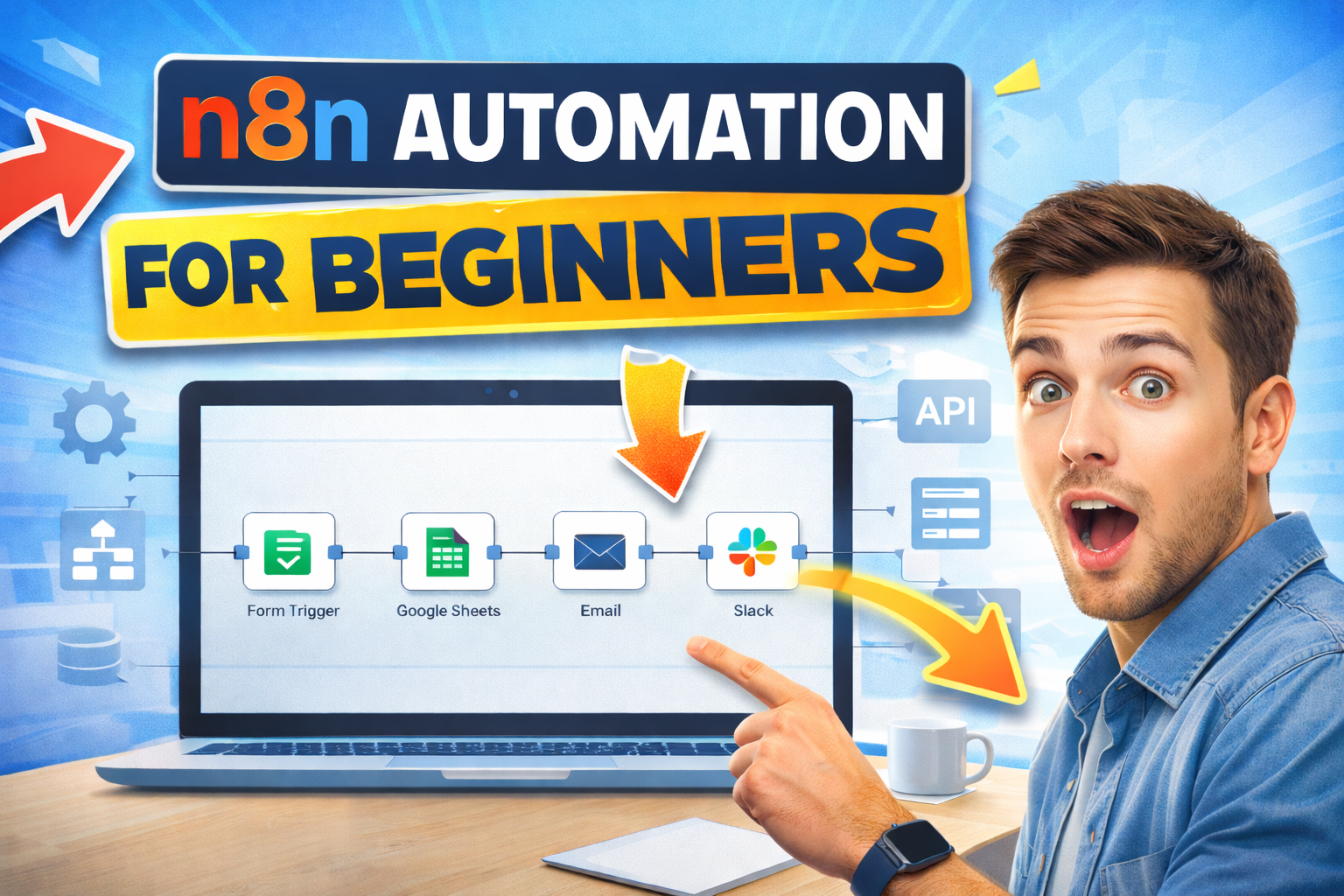
Automation is no longer just for developers or large tech teams. Today, even beginners can build powerful workflows that save time, reduce errors, and simplify daily work. This is where n8n comes in. It is an open-source workflow automation tool that lets you connect apps, services, and APIs in a visual way, without needing deep coding knowledge.
This Beginner’s Guide for n8n Automation is created specifically for learners who are starting from zero. If you have never built an automation before, or if tools like Zapier and complex scripts feel confusing or limiting, this n8n automation tutorial for beginners will walk you through everything step by step. You will learn what n8n is, why it has become so popular, and how it allows you to design workflows by simply connecting nodes and defining simple logic.
In this 2026-focused guide, the emphasis is on practical understanding rather than theory. You will explore how n8n works behind the scenes, how triggers and actions interact, and how different apps can talk to each other automatically. The guide also explains where n8n fits in today’s automation landscape, especially for learners, startups, and professionals who want flexibility, control, and cost-effective automation.
By the end of this tutorial, you will not just know what n8n is, but how to actually use it. You will be able to think in terms of workflows, identify tasks that can be automated, and confidently start building your own n8n automations. Whether your goal is to improve productivity, learn automation as a career skill, or simply make your daily work easier, this guide gives you a clear and friendly starting point.
Introduction to n8n Automation
Automation is simply about letting systems handle repetitive tasks so humans can focus on work that actually needs thinking and creativity. From sending emails and updating spreadsheets to syncing data between apps and triggering alerts, automation is already shaping how modern teams and businesses operate. Instead of performing the same steps again and again, automation allows these actions to run automatically based on events, rules, or schedules.
At the center of this shift are workflow automation tools, and this is where n8n stands out. n8n is an open-source automation platform that helps you connect different applications, services, and APIs into a single, structured workflow. Rather than writing long scripts, you build workflows visually using nodes, where each node represents a trigger, action, or logic step. This makes automation more approachable for beginners while still being powerful enough for advanced users.
What makes n8n especially beginner-friendly is its balance between simplicity and control. You can start with basic automations, such as moving data from one app to another, and gradually build more complex workflows with conditions, loops, and error handling as you gain confidence. At the same time, n8n gives you full ownership of your workflows, with options to self-host, customize logic, and work with APIs directly.
In this section, you’ll understand what automation really means in practical terms and how n8n fits into that picture. You’ll learn why n8n is widely used across industries, how it compares to traditional automation approaches, and why it has become a popular choice for beginners who want to learn automation properly, not just click through prebuilt templates.
What is n8n Automation and why is it Popular in 2026?
Think about your own day for a moment. How many times do you copy data from one app to another, send the same type of email, update a spreadsheet, or check if something has happened yet? These small, repetitive actions are exactly where automation makes the biggest difference. Instead of you doing the work, a workflow does it for you in the background.
Now imagine building that workflow without writing complex code. That’s where n8n comes in. n8n lets you visually connect apps and actions using simple building blocks called nodes. You choose what should trigger the workflow, decide what should happen next, and n8n takes care of the rest. As you read this section, try to picture one task from your own routine that could run automatically. That mental shift is the first step to learning automation properly.
So why is n8n especially popular in 2026? One big reason is freedom. You are not boxed into fixed templates or usage limits. You can start small, experiment safely, and then grow your workflows as your confidence increases. Many learners choose n8n because it teaches them how automation really works, not just how to click through a tool.
As you move forward, keep asking yourself simple questions. What triggers this task? What data is needed? What should happen if something goes wrong? n8n encourages this way of thinking, which is why it has become a favourite for beginners and professionals alike. By the time you finish this guide, you won’t just understand why n8n is popular in 2026, you’ll start seeing everyday work as something that can be automated.
How n8n Works?
At its core, n8n works on a simple idea. Something happens, data moves, and actions follow. You design this flow visually, so you can literally see how information travels from one step to the next.
1. Everything starts with a trigger
Every n8n workflow begins with a trigger. A trigger is the event that tells n8n, “Start now.” This could be a new form submission, a webhook call, a scheduled time, or a change in an app like Google Sheets or Gmail. Once the trigger fires, n8n collects the data from that event and passes it forward. As you read this, think about what usually kicks off work for you. An email arriving, a file being uploaded, or a new row added to a sheet. That starting point is your trigger.
2. Nodes handle actions and logic
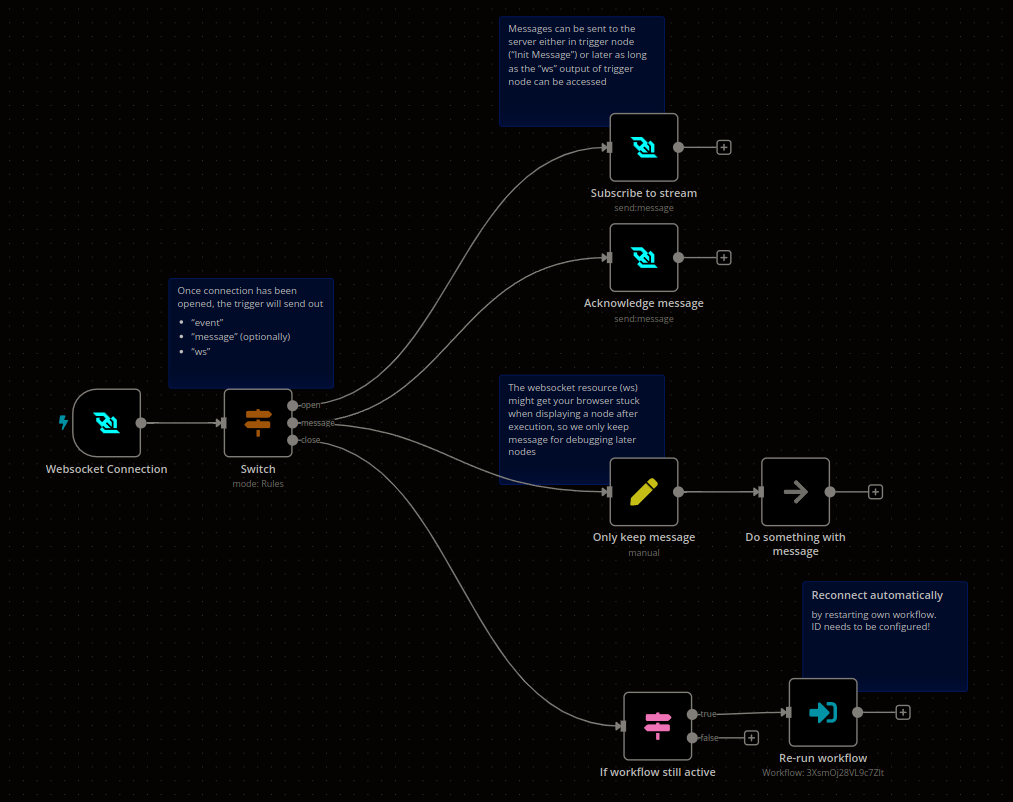
After the trigger, you add nodes. A node is a single step in your workflow. Each node performs one job, like sending data to another app, transforming information, or making a decision. You connect nodes by drawing lines between them. This creates a clear path that shows exactly what happens next. For beginners, this visual flow is powerful because you are not guessing what the automation is doing. You can see it.
You might start with simple actions like sending an email or updating a spreadsheet. Later, you can add conditions, loops, and filters to handle more complex situations. n8n grows with you as your understanding improves.
3. Data flows from one step to the next
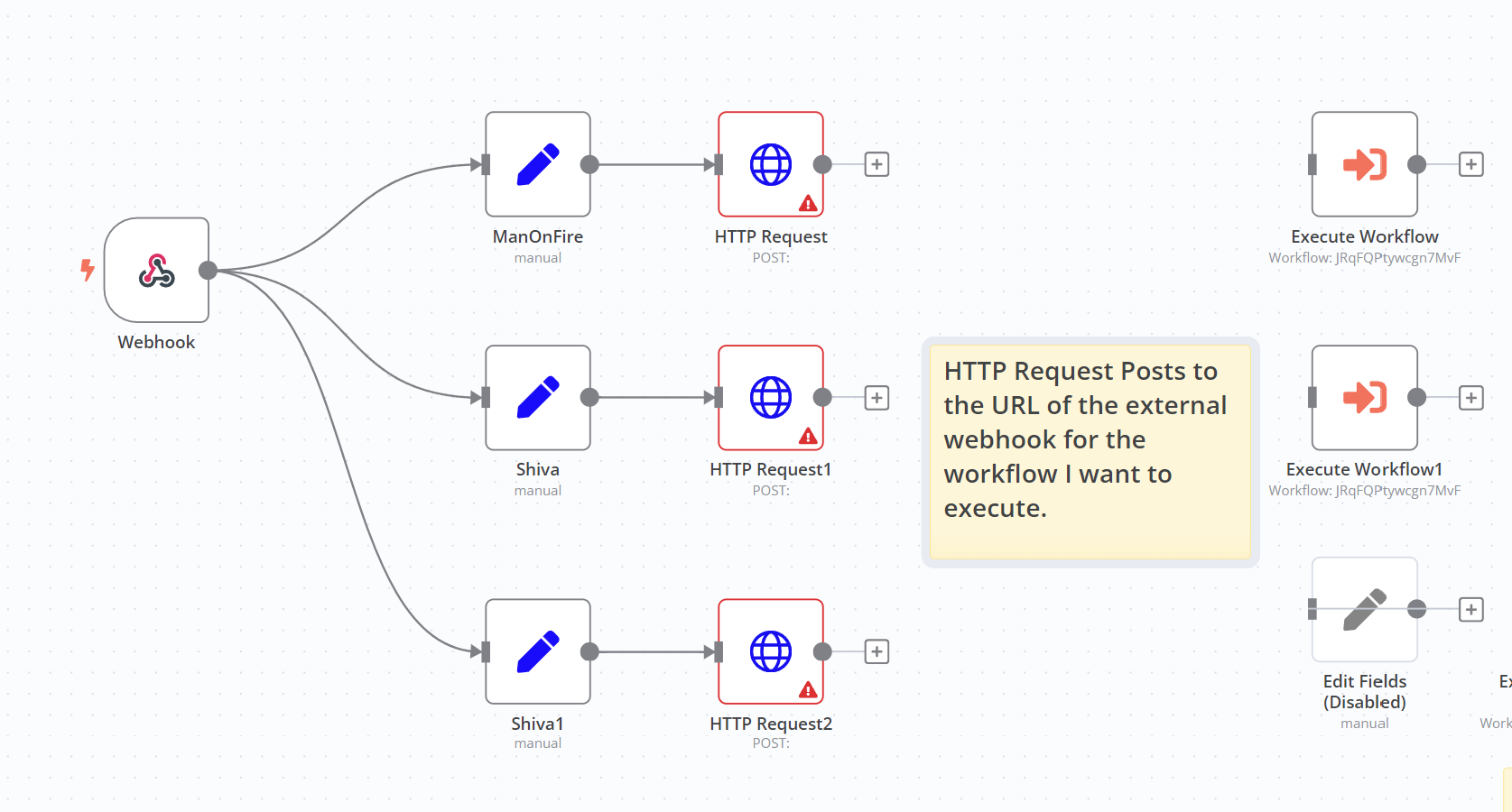
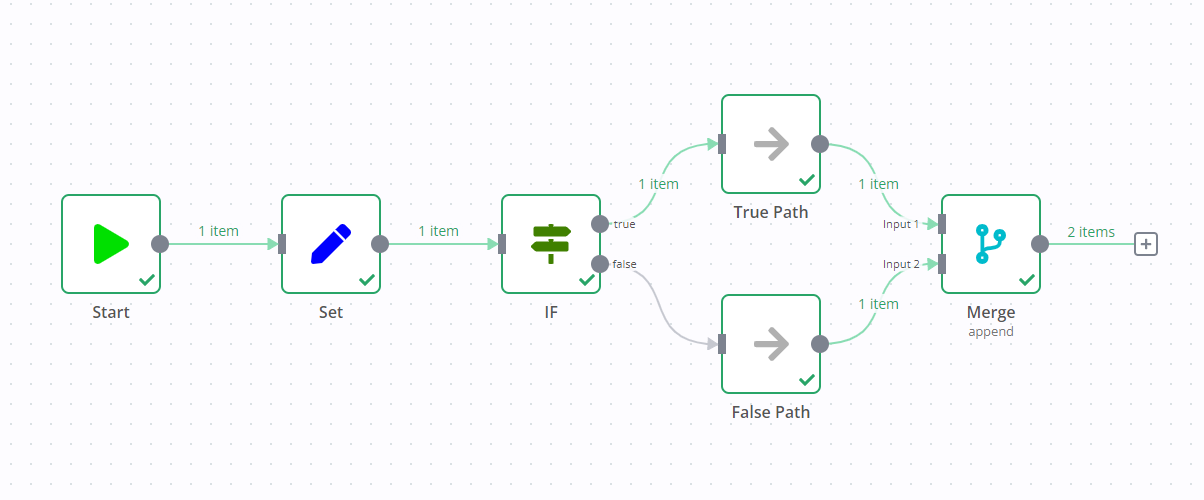
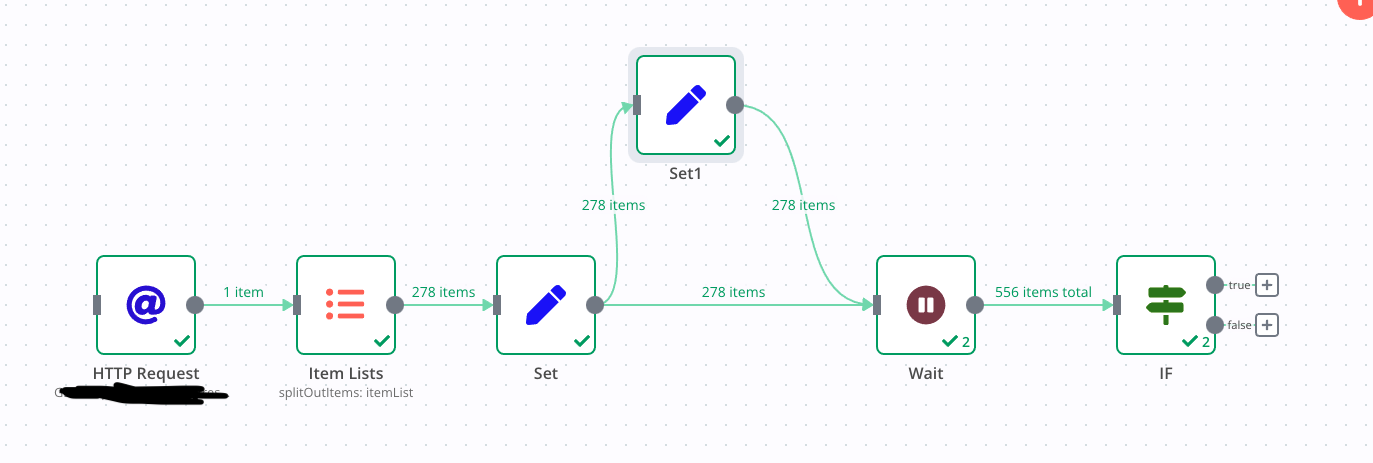
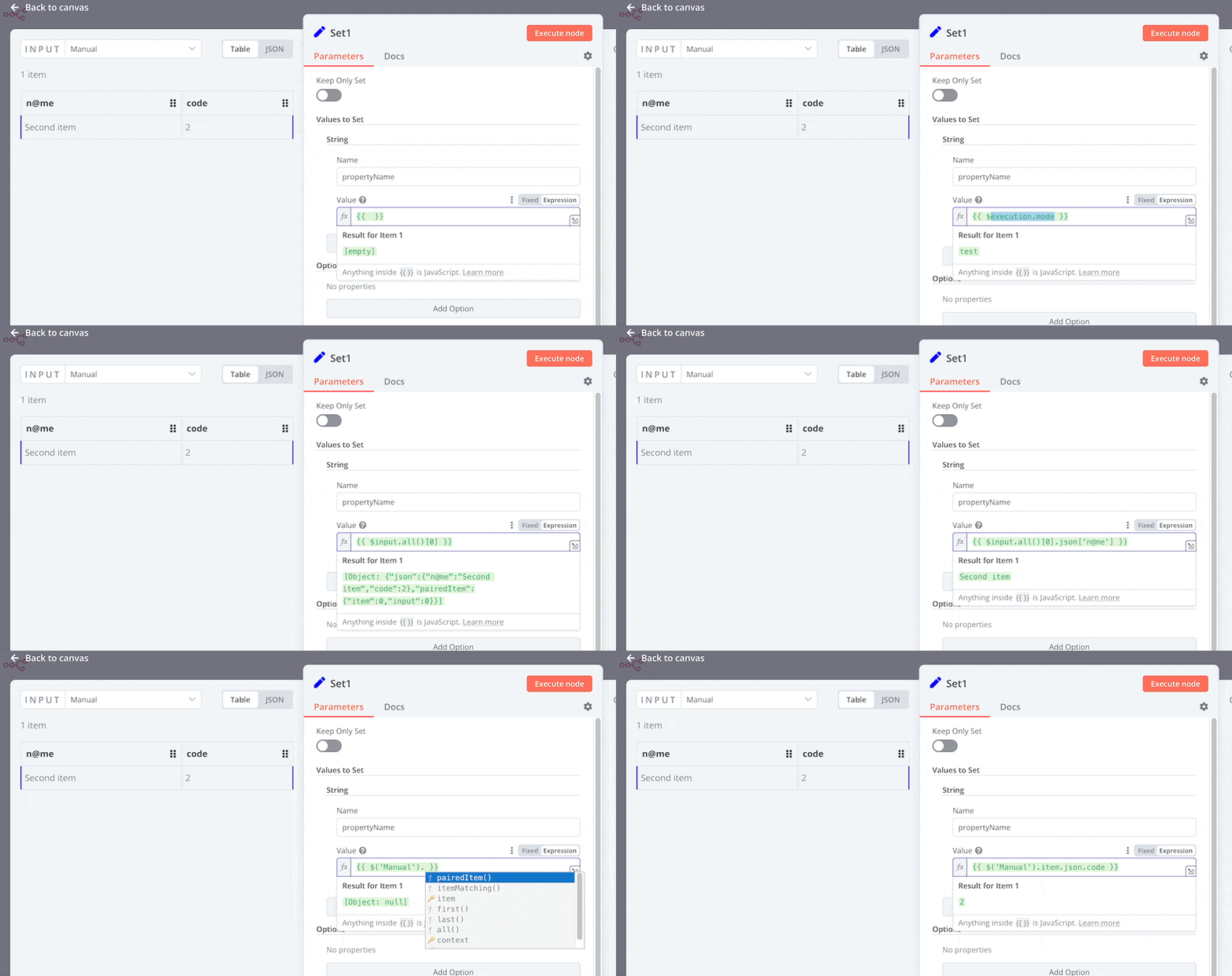
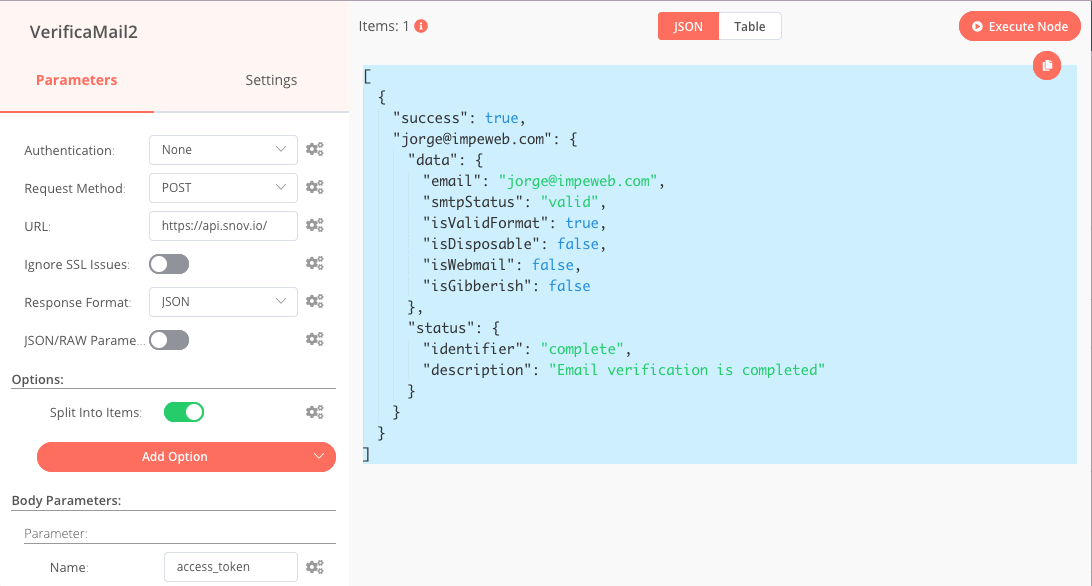
One of the most important ideas in n8n is data flow. Data produced by one node automatically becomes input for the next node. You don’t need to manually copy values unless you want to change them. For example, if a trigger receives a customer’s name and email, the next node can use that same data to send a personalised message or store it in a database. This helps beginners understand how systems talk to each other without writing complex code. As you build workflows, you start thinking in terms of inputs and outputs rather than clicks. That mindset is key to mastering automation.

4. Workflows can branch, wait, and recover
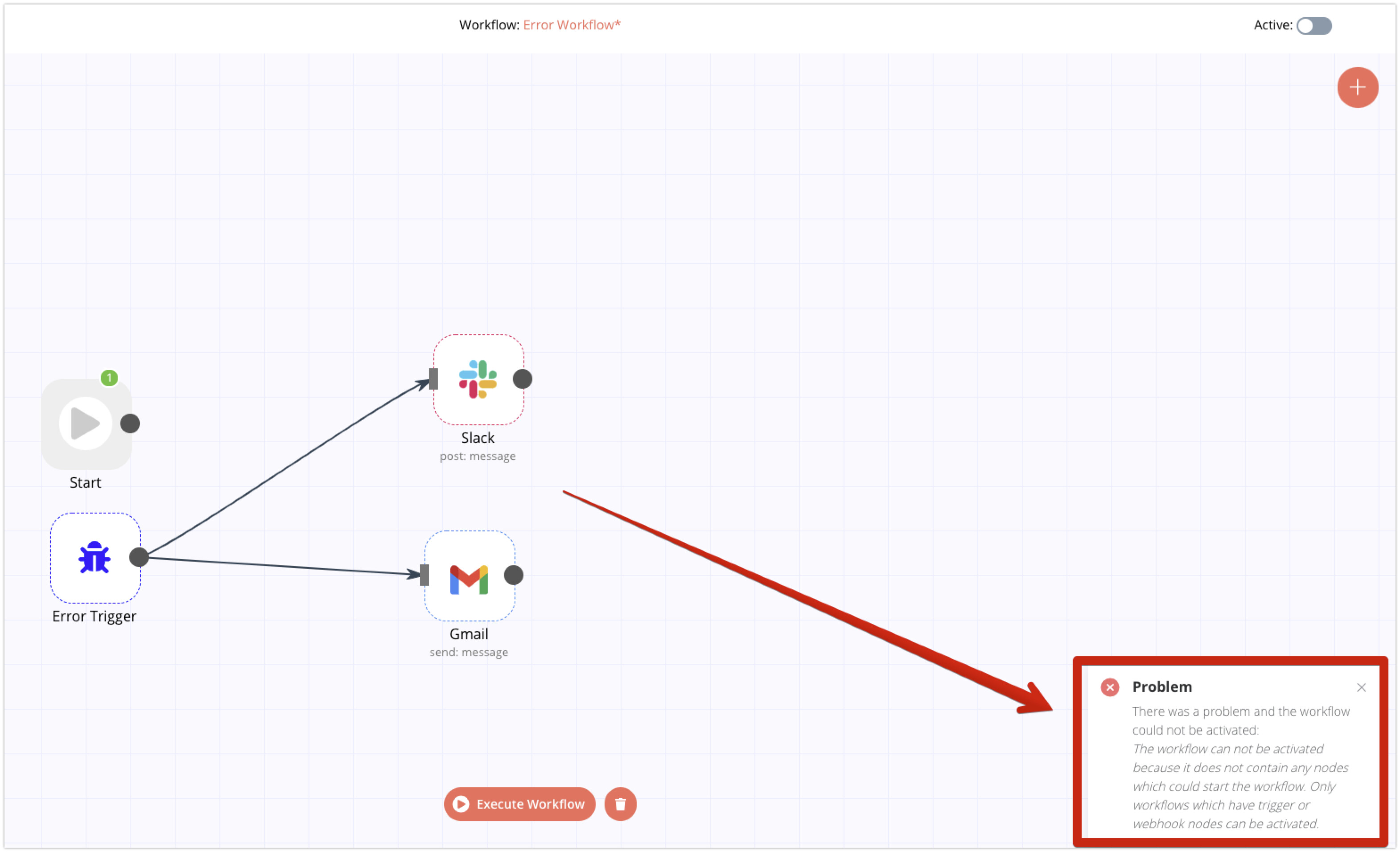
n8n is not limited to straight lines. You can create branches using conditions, pause workflows using wait nodes, and handle errors gracefully if something fails. This is especially useful in real-world automation where things don’t always go as planned. For beginners, this teaches an important lesson. Automation is not just about speed. It is about handling situations smartly and safely.
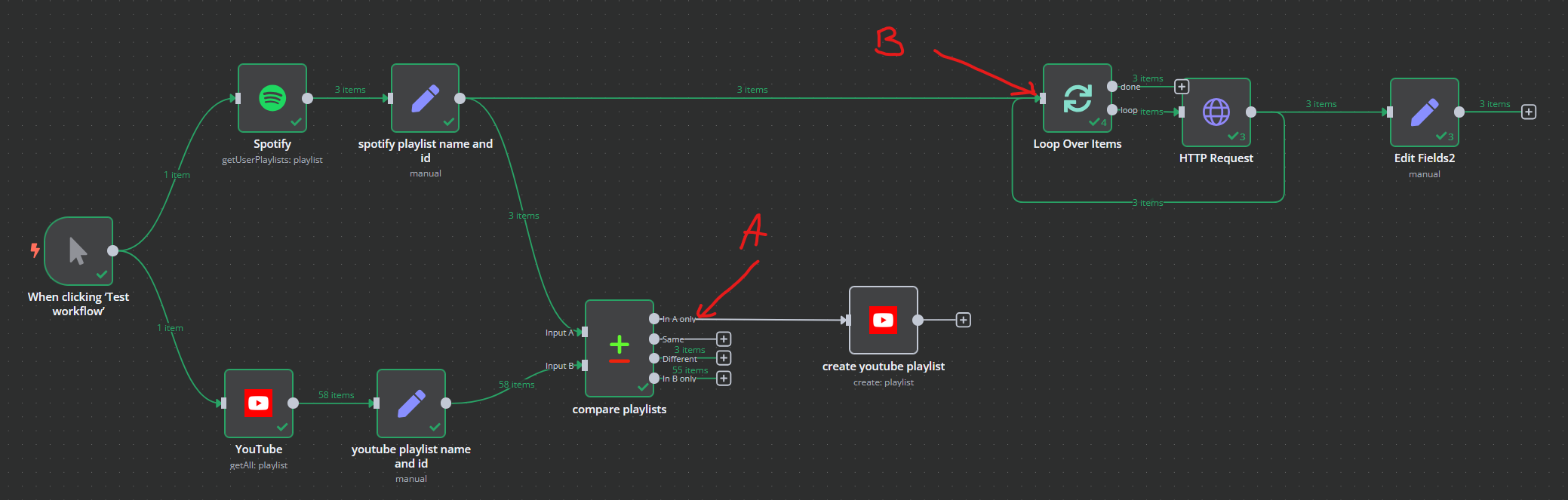
5. You test, run, and improve visually
Once your workflow is built, you can test it step by step. n8n shows you exactly what data passed through each node and where something might have gone wrong. This makes learning far less frustrating. Instead of wondering why something failed, you inspect it visually, fix it, and run the workflow again. Over time, this trial-and-error approach builds real confidence.


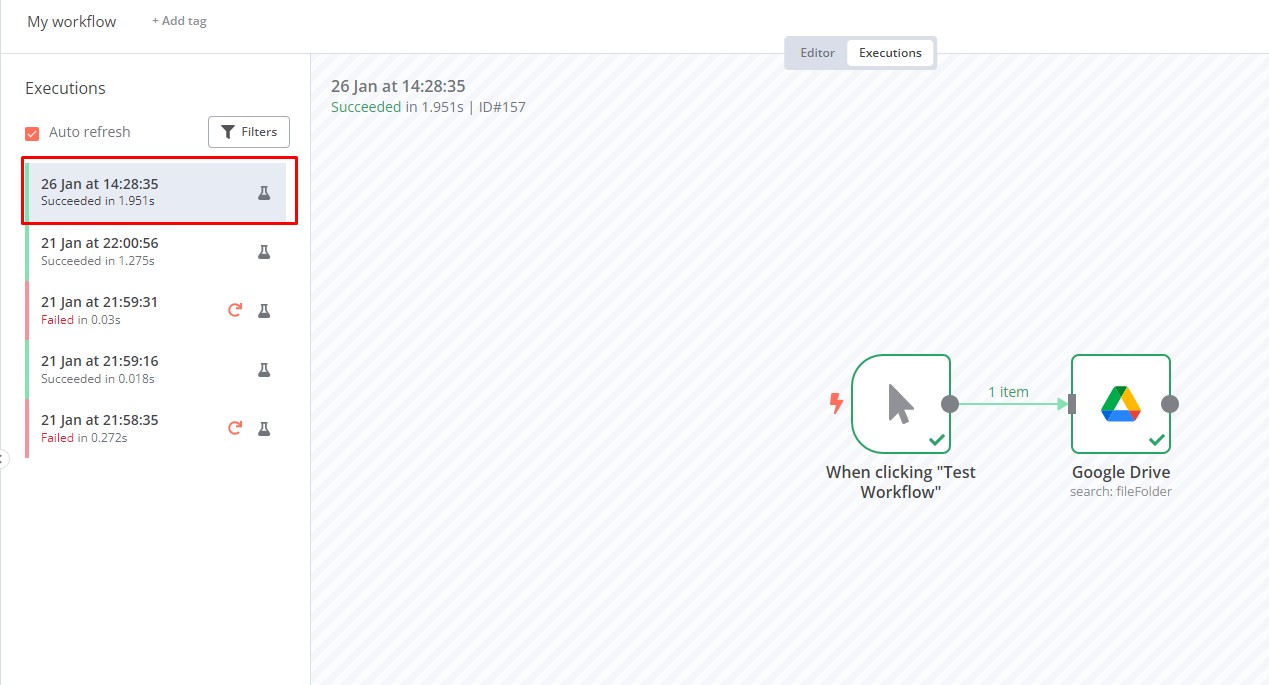
By understanding how n8n works this way, you stop seeing automation as something complex or intimidating. You start seeing it as a clear sequence of events, decisions, and actions. That clarity is exactly why n8n is such a strong learning tool for beginners and why it continues to be widely used in 2026.
n8n Use Cases for Beginners
Once you understand how n8n works, the best way to learn is by applying it to real situations. The good news is you don’t need complex business systems or advanced coding to get started. Many powerful automations come from everyday tasks that repeat again and again. Below are beginner-friendly use cases across marketing, operations, data and reporting, and personal productivity.
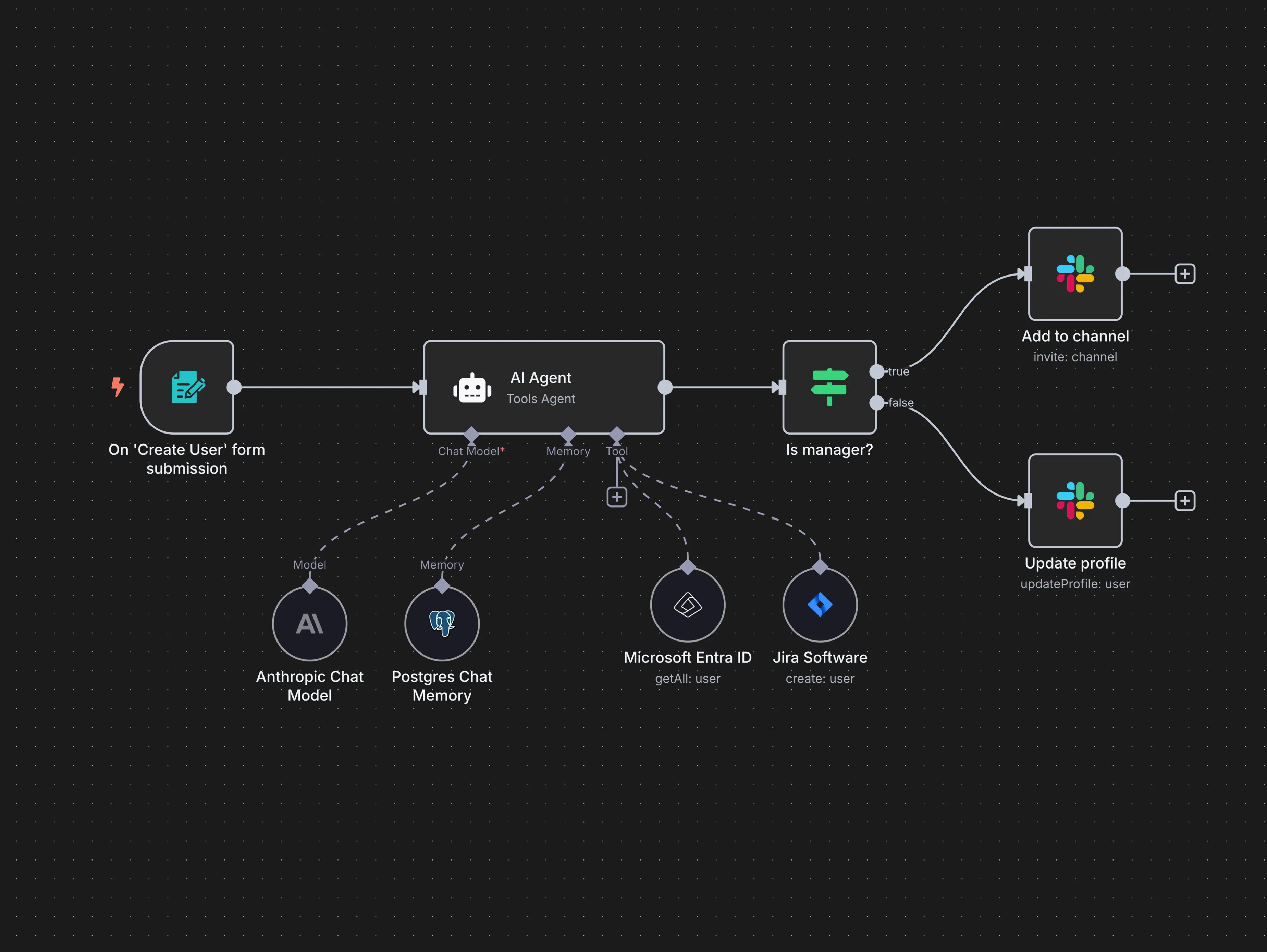
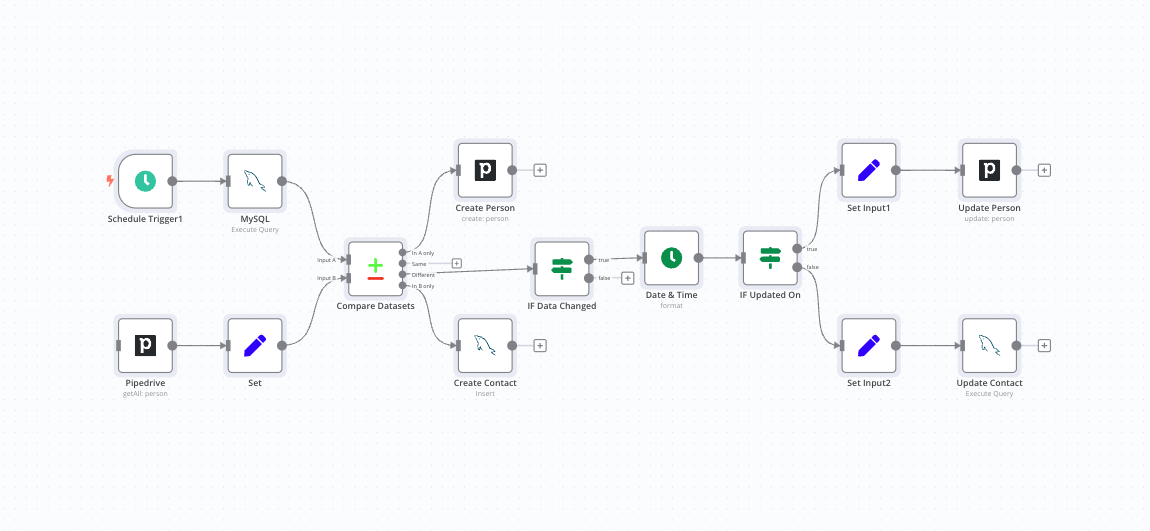
Marketing Automation with n8n
Marketing teams deal with constant follow-ups, lead tracking, and data movement across tools. For beginners, n8n makes marketing automation easy because everything follows a clear flow: capture data, process it, and take action.
1. Lead capture and follow-up automation
Imagine someone fills out a form on your website. Normally, you would download the leads, update a spreadsheet, and send a follow-up email manually.
With n8n, this becomes a single workflow:
- A form submission triggers the workflow
- Lead data is saved to Google Sheets or a CRM
- A personalised email is sent automatically
- A Slack or email notification alerts the team
As a beginner, this teaches you how triggers, data mapping, and actions work together in a practical way.
2. Email campaign support workflows
While n8n is not an email marketing tool by itself, it works extremely well as a support system. You can automate tasks like:
- Segmenting contacts based on behaviour
- Sending transactional or follow-up emails
- Updating campaign results in a dashboard
This helps beginners understand how automation supports marketing without replacing core tools.
3. Social media content workflows
n8n can automate content distribution by:
- Posting scheduled content across platforms
- Pulling content from a spreadsheet or CMS
- Logging post-performance data
This is a great learning use case because it combines scheduling, APIs, and data tracking in a simple visual flow.
Operations Automation with n8n
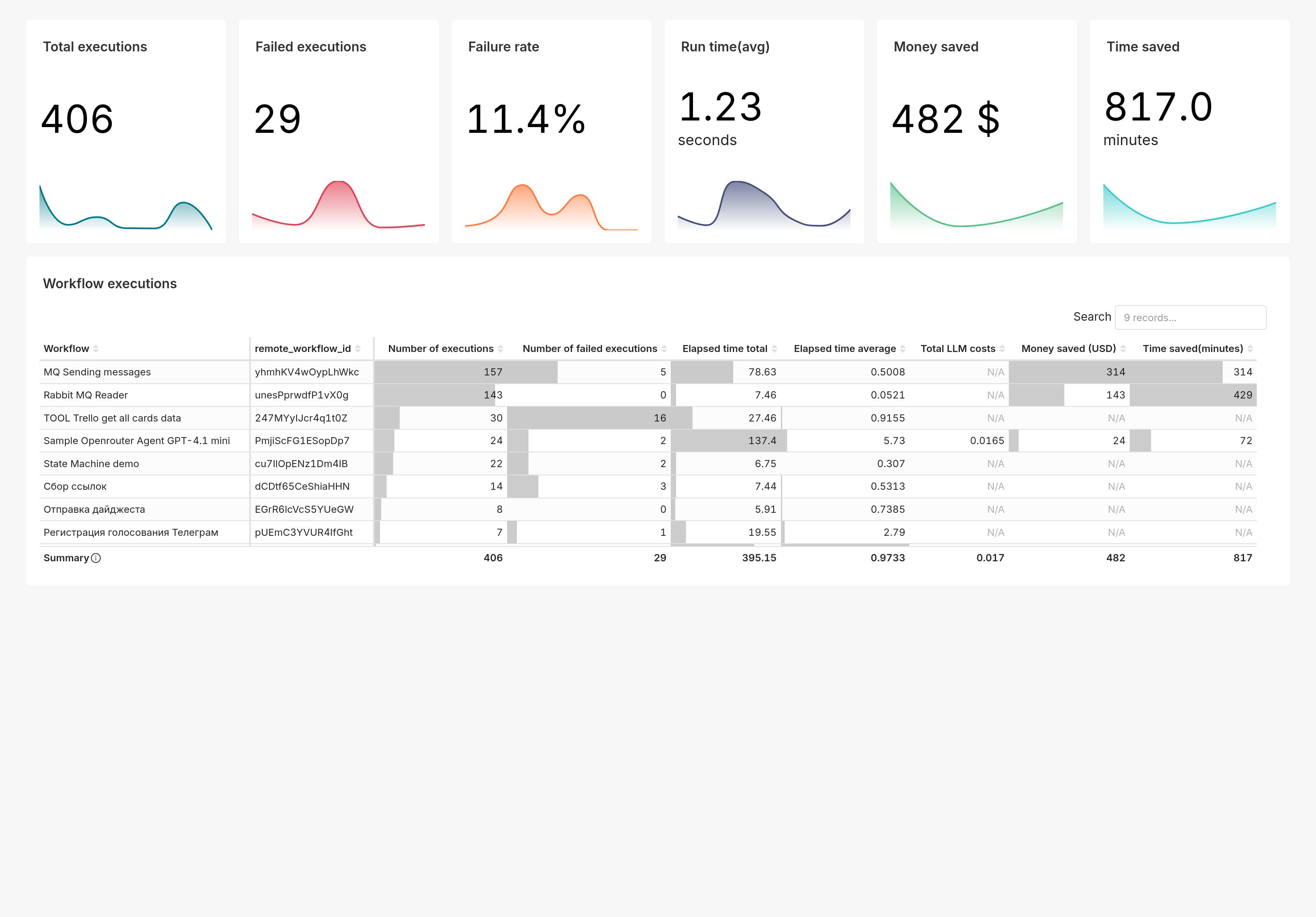
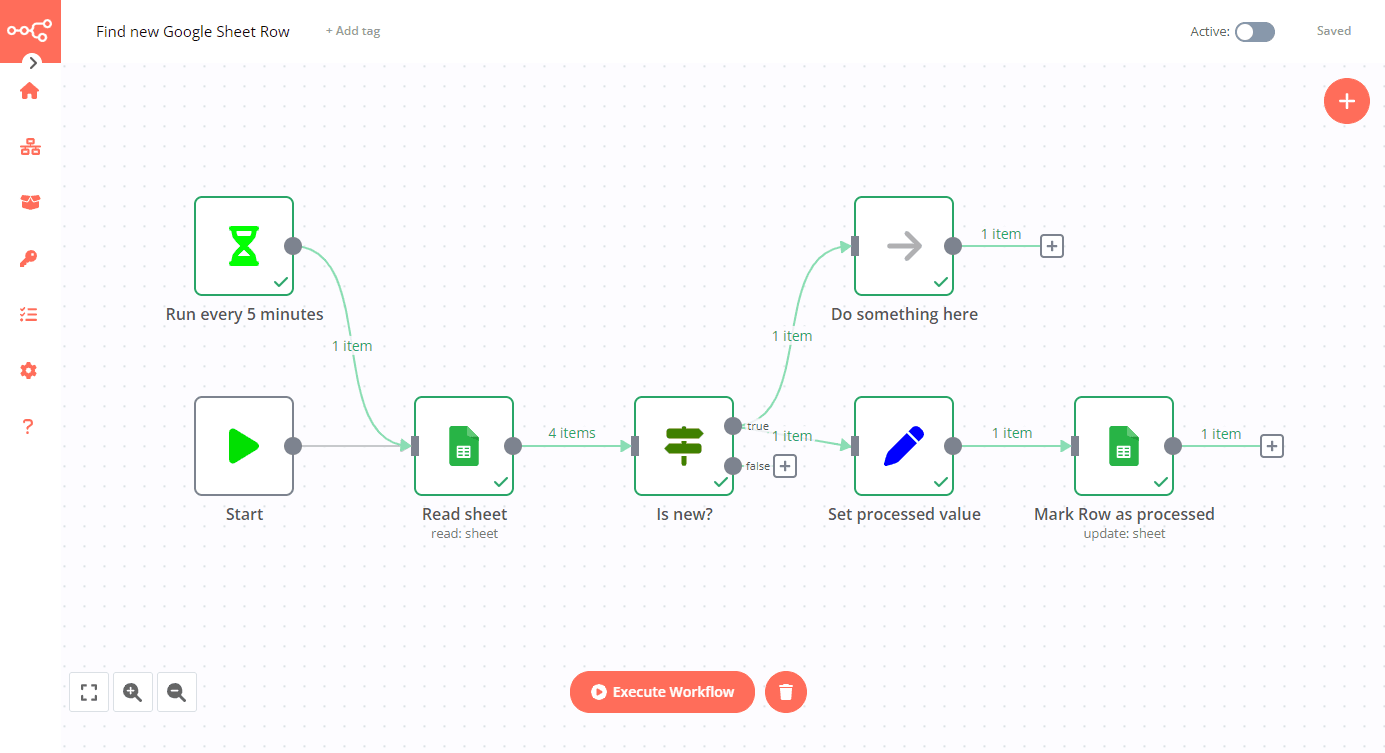
Operations is where automation delivers instant value. Many operational tasks follow fixed steps, making them perfect for beginners to automate.
1. Approval workflows
Think about leave requests, purchase approvals, or access requests. These often involve emails, reminders, and status updates.
With n8n:
- A request form triggers the workflow
- An approval request is sent to the manager
- The response determines the next step
- The requester is notified automatically
Beginners learn how decision nodes and branching logic work without writing code.
2. Internal task coordination
n8n can connect tools like email, Slack, and task management systems to:
- Create tasks automatically
- Assign them to the right person
- Update status when work is completed
This helps beginners understand how automation reduces manual coordination.
3. Support and issue tracking
For simple support workflows:
- Incoming emails or forms create tickets
- Tickets are logged in a system or spreadsheet
- Notifications are sent to the right team
This teaches beginners how workflows handle real-world processes reliably.
Data and Reporting Automation with n8n
Data tasks are repetitive by nature, which makes them ideal for automation. n8n helps beginners work with data without needing advanced data engineering skills.
1. Data collection and consolidation
Many teams collect data from multiple sources. n8n can:
- Pull data from APIs
- Merge it into one format
- Store it in Google Sheets or databases
This teaches beginners how data flows and transforms across systems.
2. Scheduled reports
Instead of manually creating reports:
- n8n runs on a schedule
- Collects updated data
- Generates a summary
- Sends it via email or Slack
This is a confidence-building use case because the results are visible and useful immediately.
3. Data cleanup and validation
n8n can automatically:
- Remove duplicates
- Validate formats
- Flag missing values
Beginners learn how automation improves data quality, not just speed.
Personal Productivity with n8n
Personal productivity workflows are perfect for beginners because they feel personal and rewarding.
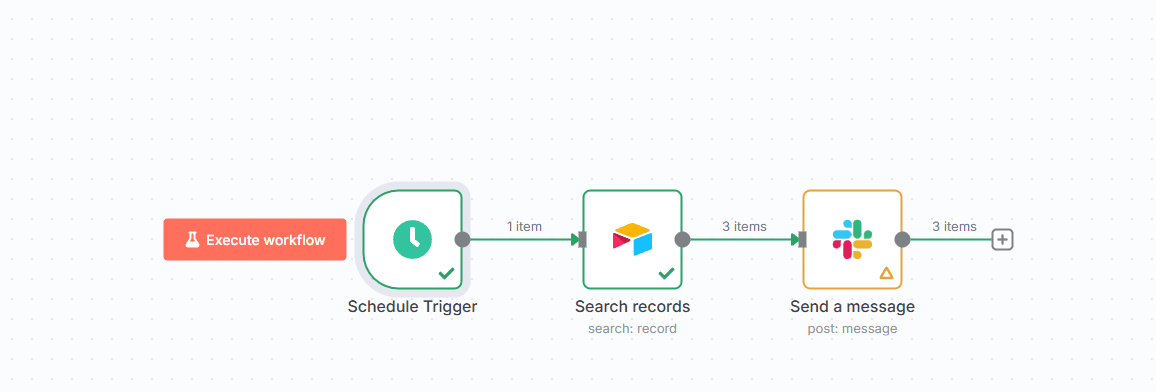
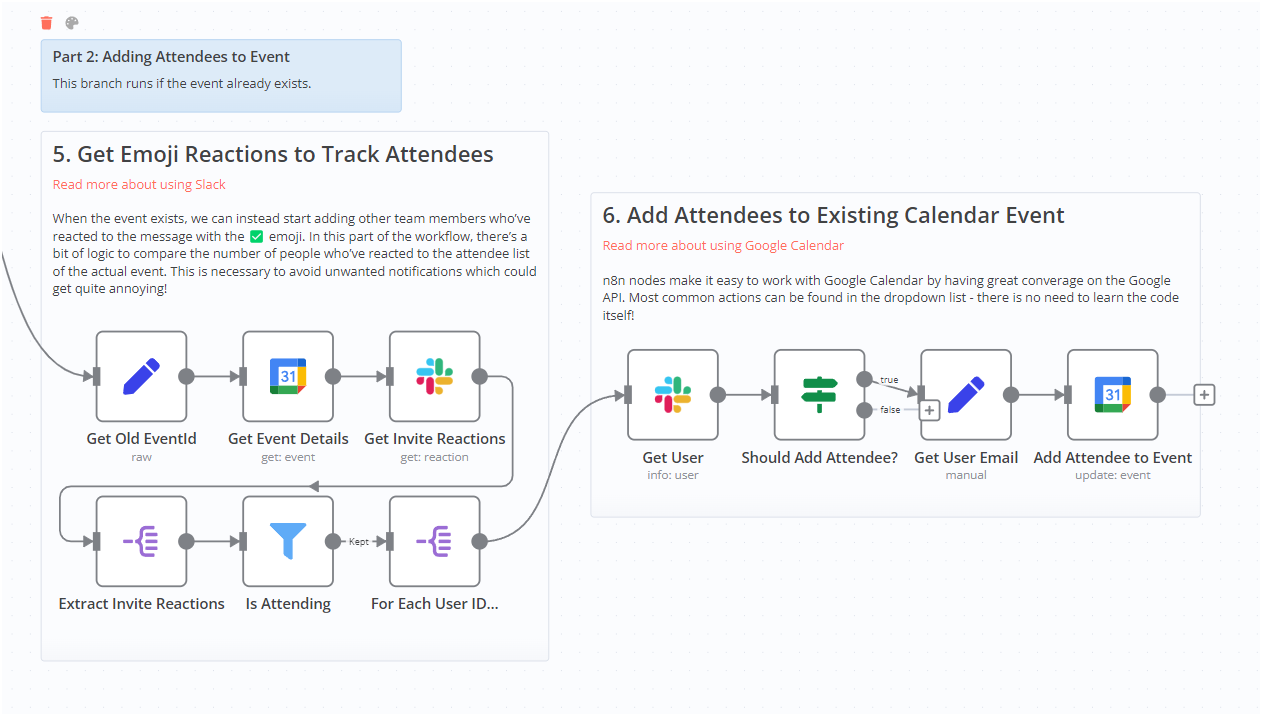
1. Task and reminder automation
n8n can:
- Turn emails into tasks
- Set reminders automatically
- Notify you at the right time
This helps beginners connect automation to everyday life.
2. Daily summaries and digests
You can create workflows that:
- Collect updates from multiple apps
- Summarise them into one message
- Deliver them once a day
This shows beginners how automation reduces information overload.
3. Personal knowledge tracking
n8n can help track learning by:
- Saving bookmarks or notes automatically
- Logging completed tasks
- Building a personal activity log
This reinforces the idea that automation is not just for companies, but for individuals too.
Why are these use cases ideal for beginners?
Each of these examples:
- Uses simple triggers and actions
- Has clear start and end points
- Produces visible results
- Can be expanded gradually
As beginners build these workflows, they stop thinking of n8n as a tool and start seeing it as a way to structure work logically. That shift is what turns basic automation knowledge into a real, usable skill.
n8n Cloud vs Self-Hosted (Which One Should You Choose?)
Choosing between n8n Cloud and self-hosted n8n is one of the first practical decisions beginners face. There is no one-size-fits-all answer. The right choice depends on how much control you want, how comfortable you are with setup, and what you expect from automation in the long run. Let’s walk through both options in a clear, beginner-friendly way so you can decide with confidence.
Understanding the two ways to use n8n
Before comparing, it helps to understand what actually changes between the two.
- With n8n Cloud, everything is already set up for you. You log in, create workflows, and start automating. Hosting, updates, security patches, and uptime are handled for you.
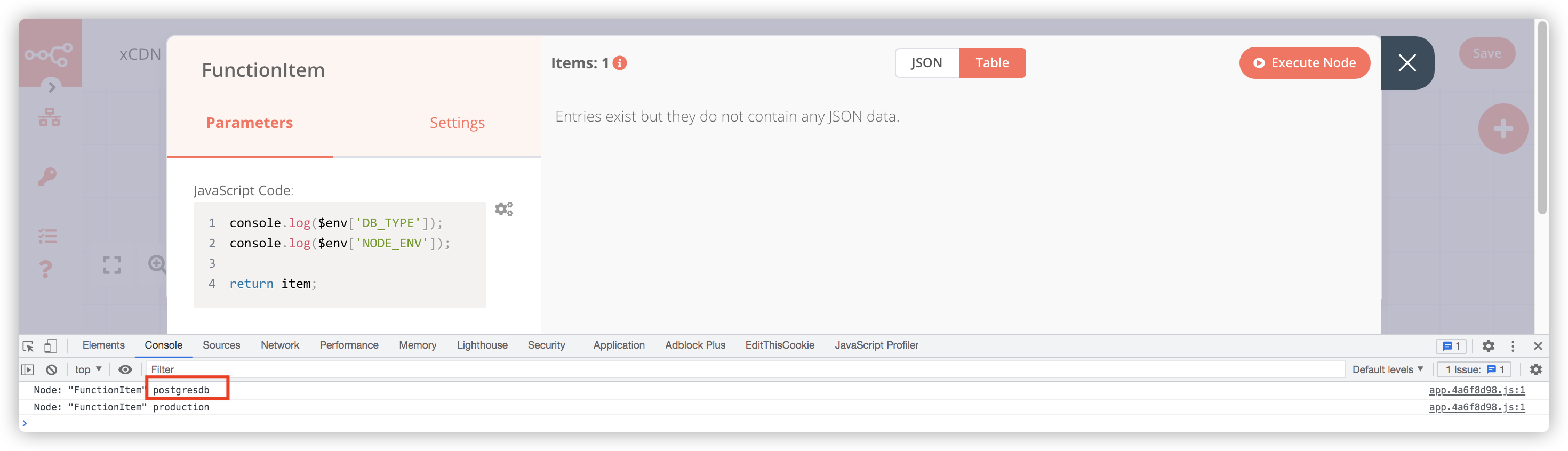
- ith self-hosted n8n, you install n8n on your own server or local machine. You control where it runs, how it is secured, and how it scales. This gives you more flexibility, but also more responsibility.
n8n Cloud explained for beginners
n8n Cloud is designed for people who want to focus purely on building automations, not managing infrastructure.
Why beginners like n8n Cloud?
- No installation or server setup
- Automatic updates and backups
- Built-in security and monitoring
- Clean, ready-to-use interface
If you are learning automation for the first time, this removes a lot of friction. You can experiment, break things, and rebuild workflows without worrying about servers going down or configuration errors.
Where n8n Cloud has limits?
- Monthly cost based on usage
- Less control over system-level customisation
- Some advanced use cases may need self-hosting
For many beginners, these limits don’t matter at the learning stage. Speed and simplicity are the main wins here. Self-hosting means you run n8n on your own environment. This could be a cloud server, a company server, or even your local machine for learning.
Why do people choose self-hosted n8n?
- Full control over workflows and data
- No per-execution or task-based pricing
- Easier integration with internal systems
- Custom security and compliance setups
This option is popular with developers, startups, and teams that want automation without long-term platform costs.
What beginners should be aware of?
Self-hosting comes with responsibilities:
- You must set up hosting and networking
- You handle updates and backups
- You manage security and uptime
If you are completely new to automation and servers, this can feel overwhelming at first.
Feature comparison: Cloud vs Self-Hosted
| Area | n8n Cloud | Self-Hosted n8n |
|---|---|---|
| Setup | Instant, no setup | Manual installation |
| Maintenance | Handled by n8n | You manage it |
| Cost model | Subscription | Hosting cost only |
| Customisation | Limited | Full control |
| Best for | Beginners, fast start | Power users, teams |
This comparison helps beginners see the trade-off clearly. Convenience versus control.
Which one should you choose?
Here’s a simple way to decide.
Choose n8n Cloud if:
- You are a complete beginner
- You want to learn workflows, not servers
- You need results quickly
- You are testing automation ideas
Choose self-hosted n8n if:
- You are comfortable with basic server setup
- You want full control over data and costs
- You plan to scale automations long-term
- You need custom integrations or compliance
Many learners actually start with n8n Cloud and later move to self-hosted once they understand automation better. That path is completely normal and often the smartest approach.
If your goal is learning and experimentation, start with n8n Cloud. It lets you focus on understanding triggers, nodes, and workflows without distractions. Once automation becomes part of your regular work or business, self-hosting becomes easier to justify and easier to manage because you already understand how n8n works. The important thing is not which option you choose first, but that you start building. n8n works the same way in both environments, so everything you learn carries forward.
Getting Started with n8n Automation: Step-by-Step Guide
Starting with n8n can feel intimidating at first, but once you break it down, the process is surprisingly smooth. This section walks you through the journey exactly as a beginner experiences it: setting up an account, understanding the dashboard, and building your very first workflow from scratch.
1. Account Setup in n8n


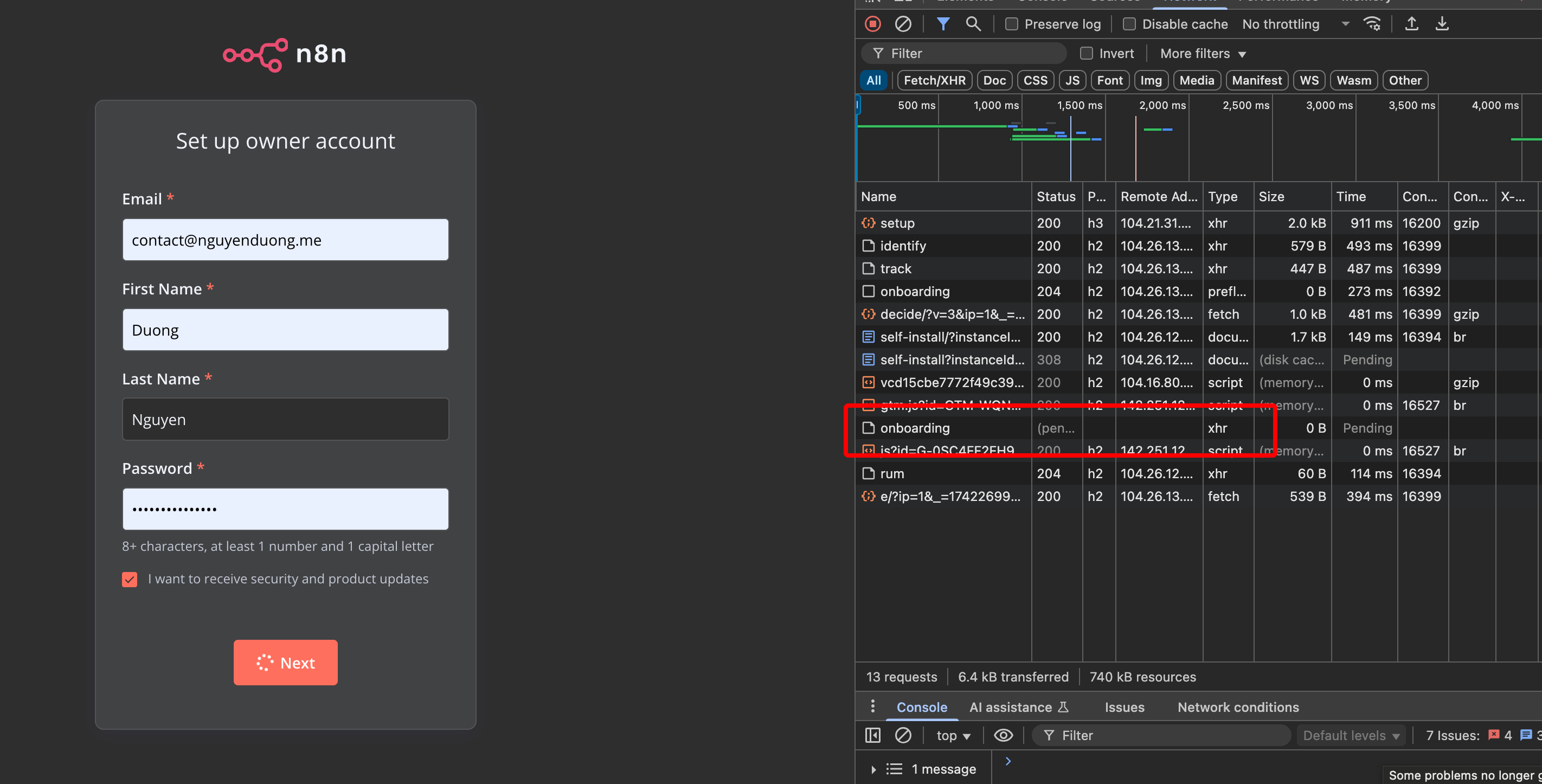
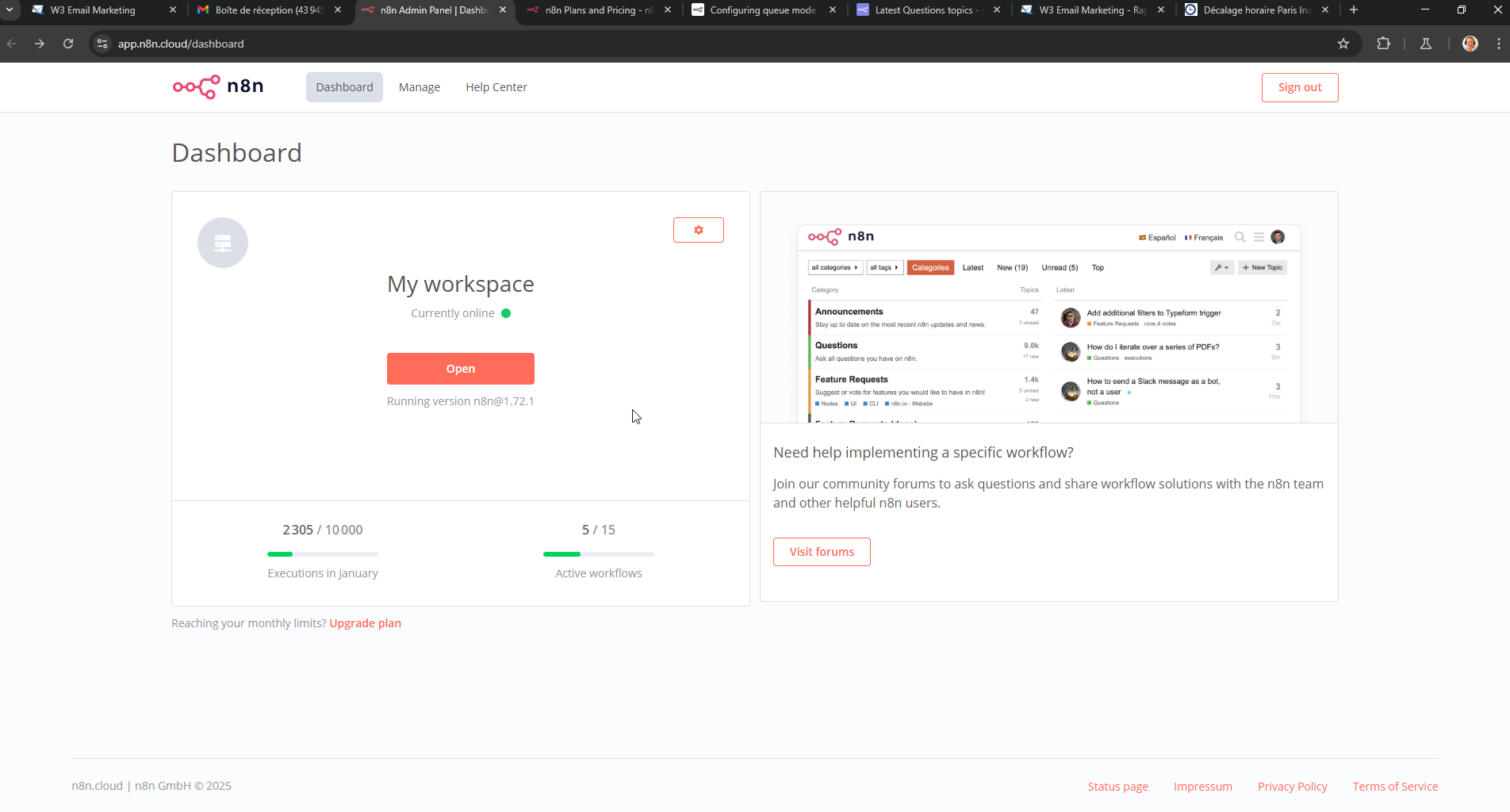
The first step is getting access to n8n. For beginners, the easiest way to start is n8n Cloud because it removes all technical setup.
Step-by-step: Creating your account
- Visit the n8n website and choose the cloud option
- Sign up using your email or supported login method
- Verify your email address
- Log in to your n8n workspace
Once you log in, n8n automatically creates a workspace for you. This workspace is where all your workflows, credentials, and executions will live.
What beginners should notice here?
- You don’t need to install anything
- No configuration is required to begin
- You can start building workflows immediately
This is intentional. n8n is designed so learners can focus on automation logic, not technical hurdles.
2. Understanding the n8n Dashboard
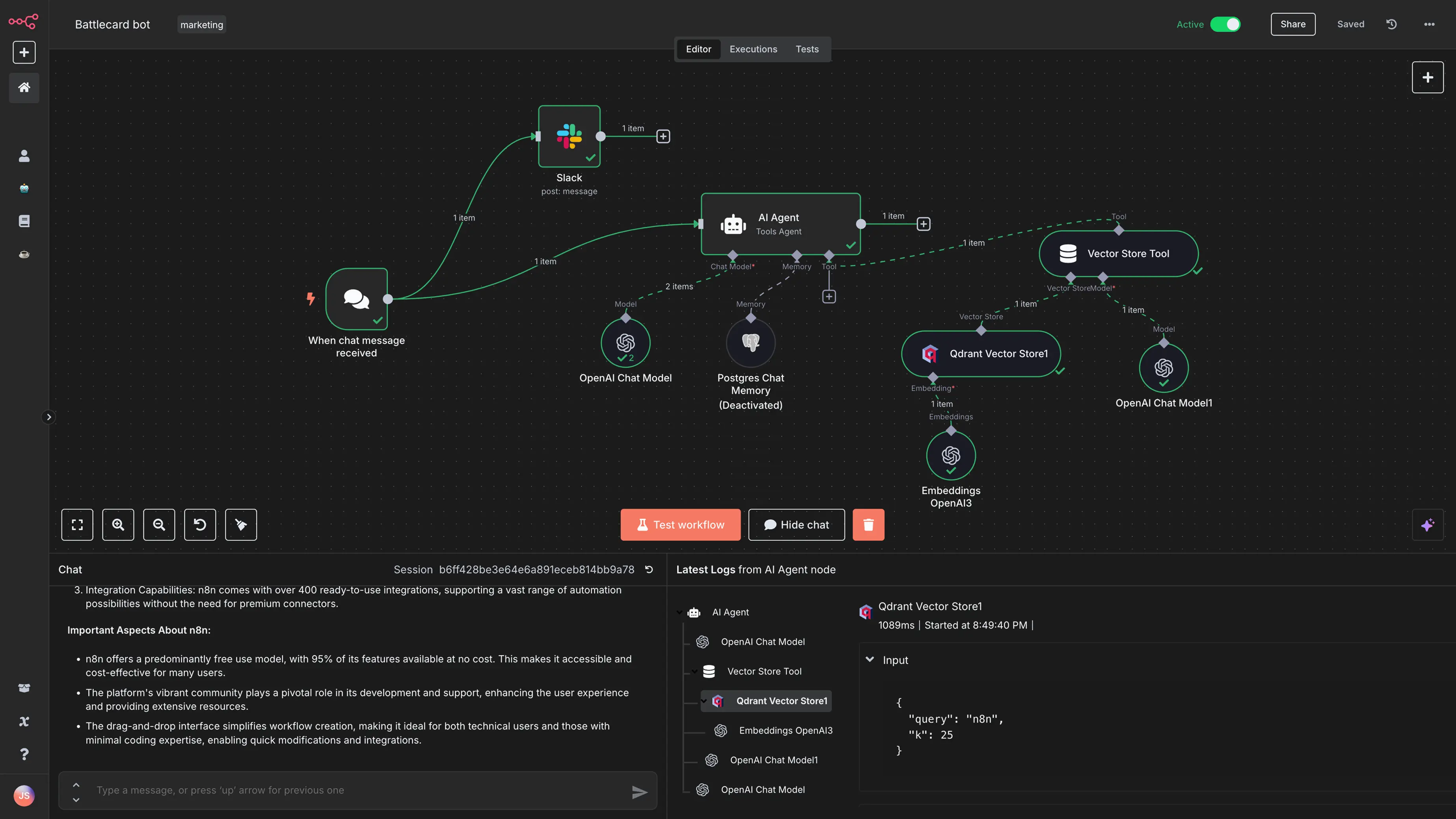
Once logged in, you’ll land on the n8n dashboard. This is your control center, and understanding it early makes everything else easier.
Key areas of the dashboard
- Workflows: This section shows all the workflows you create. At first, it will be empty. Over time, it becomes a library of your automations.
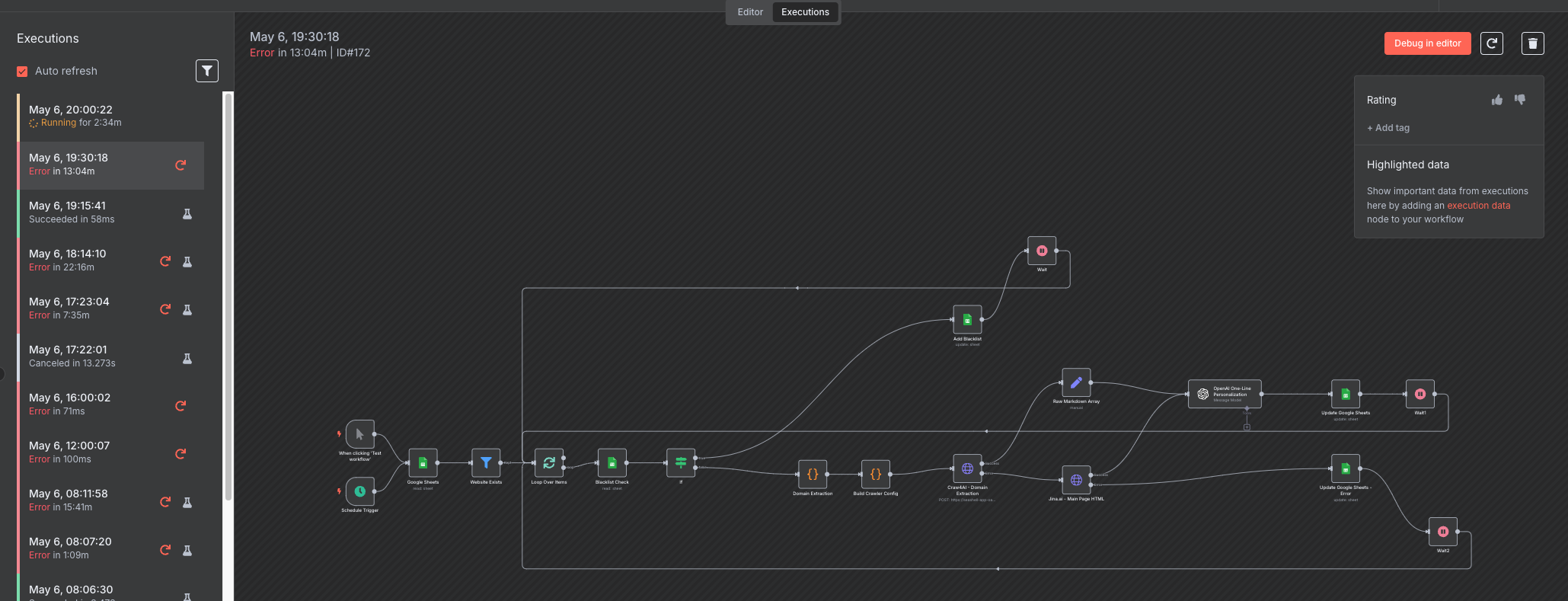
- Executions: Here you see every time a workflow runs. This is extremely helpful for beginners because you can:
- See if a workflow succeeded or failed
- Inspect data that passed through each node
- Debug issues visually
- Credentials: This is where you securely connect apps like Google Sheets, Gmail, Slack, or APIs. n8n stores these safely so you don’t need to enter them again and again.
- Settings: Used for workspace preferences, user access, and advanced options. Beginners rarely need to touch this at the start.
Beginner mindset tip
Don’t worry about memorising everything. Just remember this:
- Workflows = what you build
- Executions = what actually happened
That clarity removes most confusion early on.
3. Creating Your First Workflow (Hands-On)

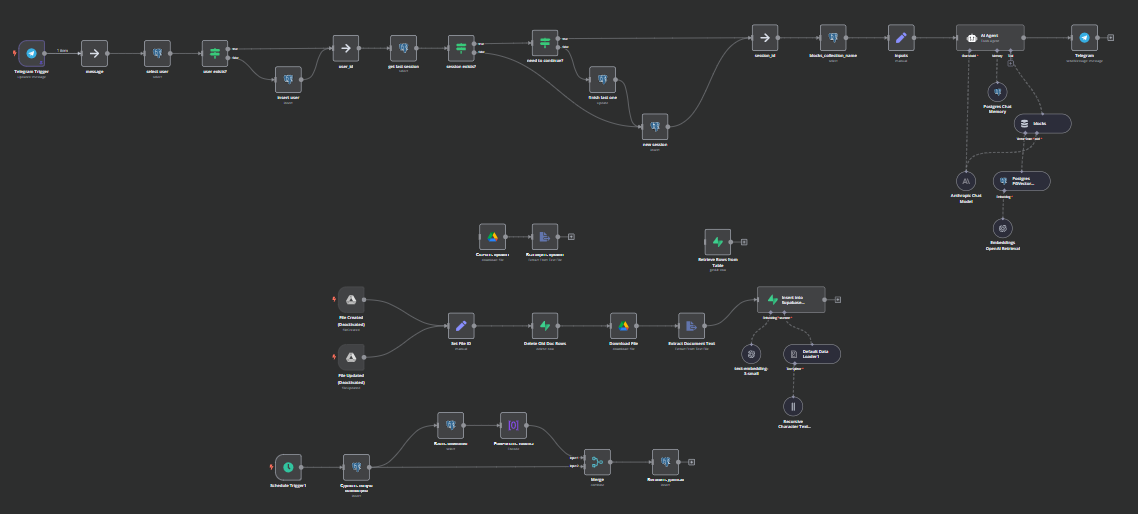
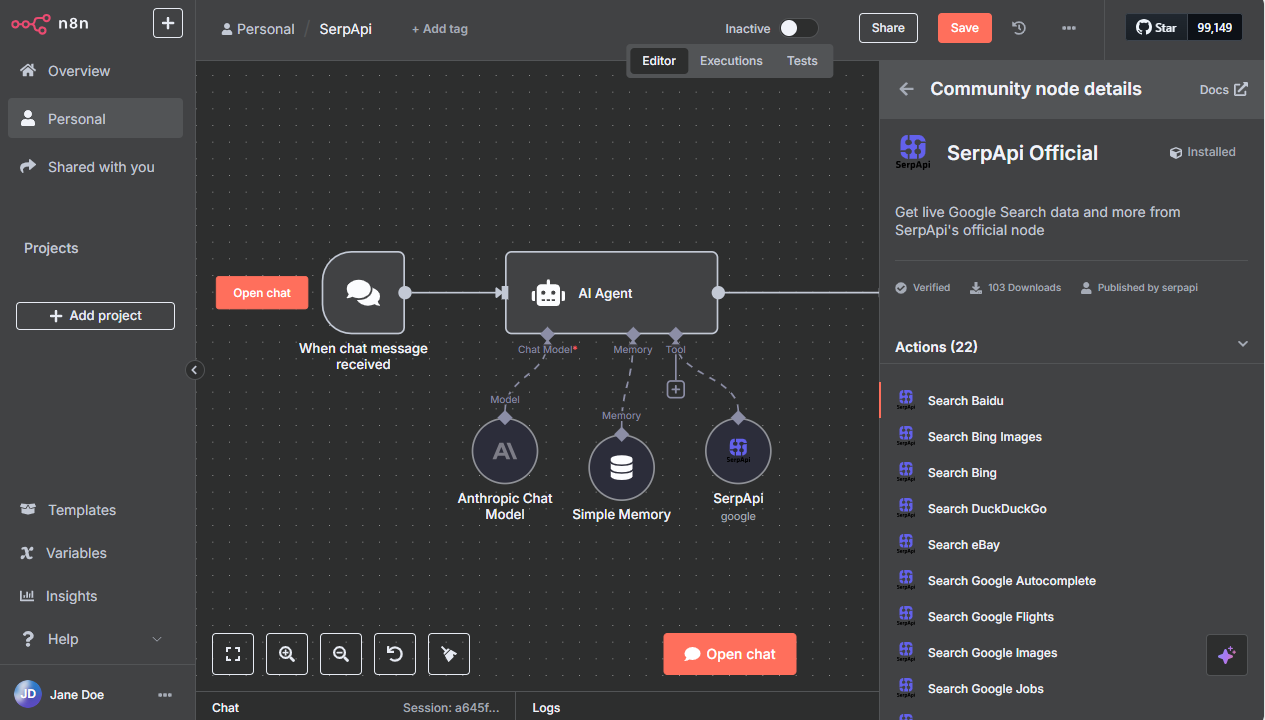
Now comes the most important and exciting part. Building your first workflow.
Step 1: Create a new workflow
- Click “Create Workflow”
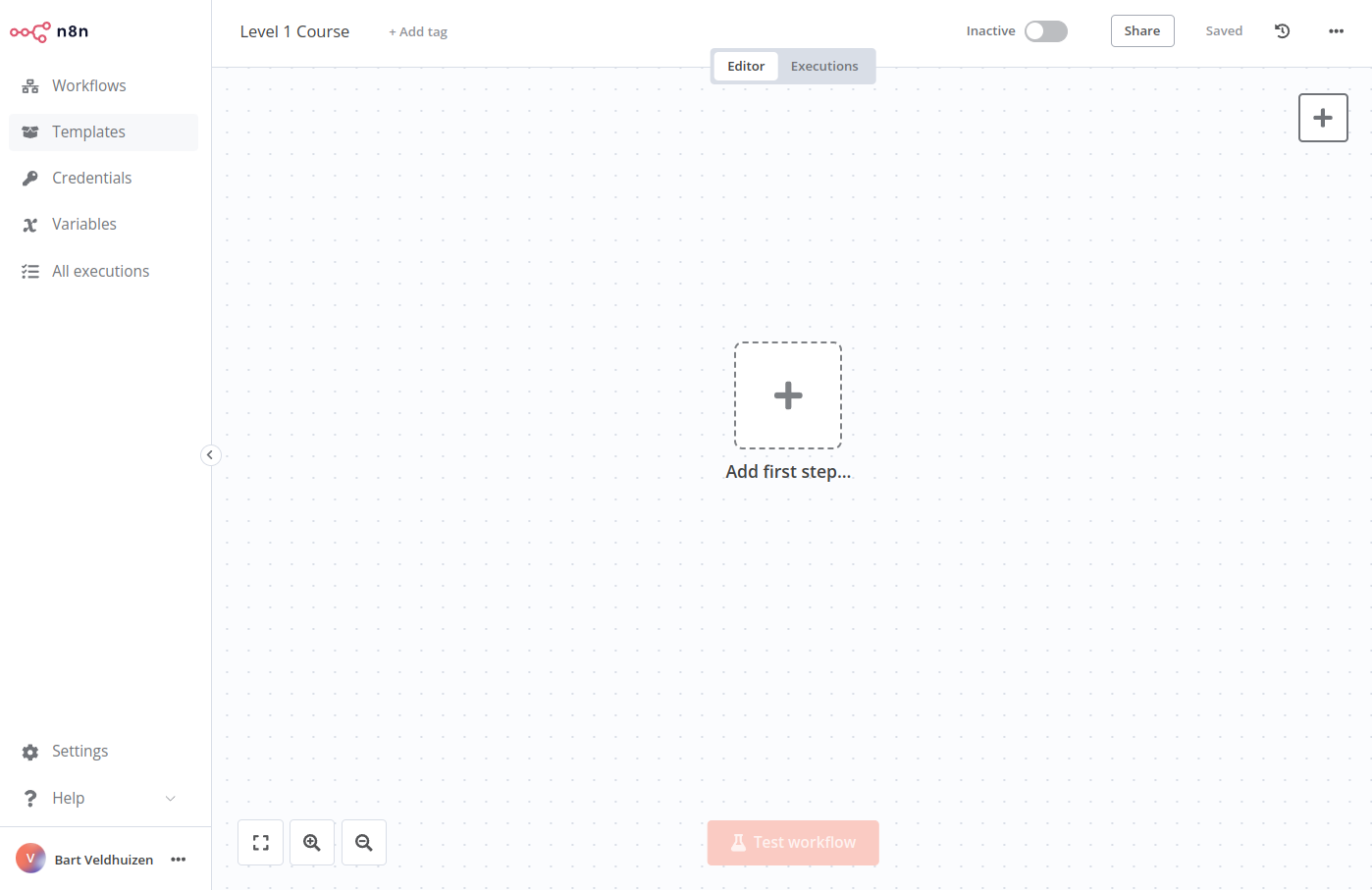
- You’ll see a blank canvas
This canvas is where your automation logic lives.
At first glance, it may look empty, but think of it as a whiteboard waiting for steps.
Step 2: Add your first trigger

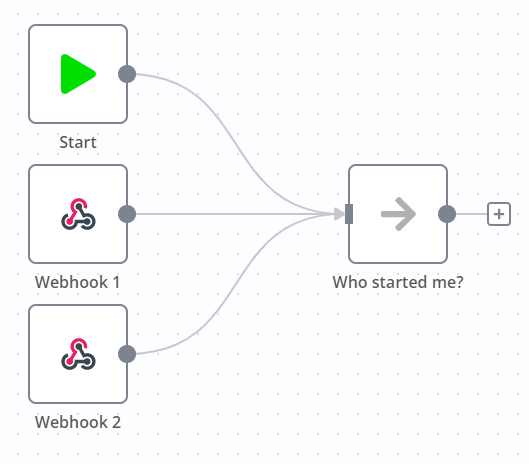
Every workflow needs a trigger. For beginners, the Manual Trigger is perfect.
- Click “Add node”
- Choose “Manual Trigger”
- Place it on the canvas
This trigger lets you run the workflow yourself with one click. It’s ideal for learning and testing.
Step 3: Add an action node

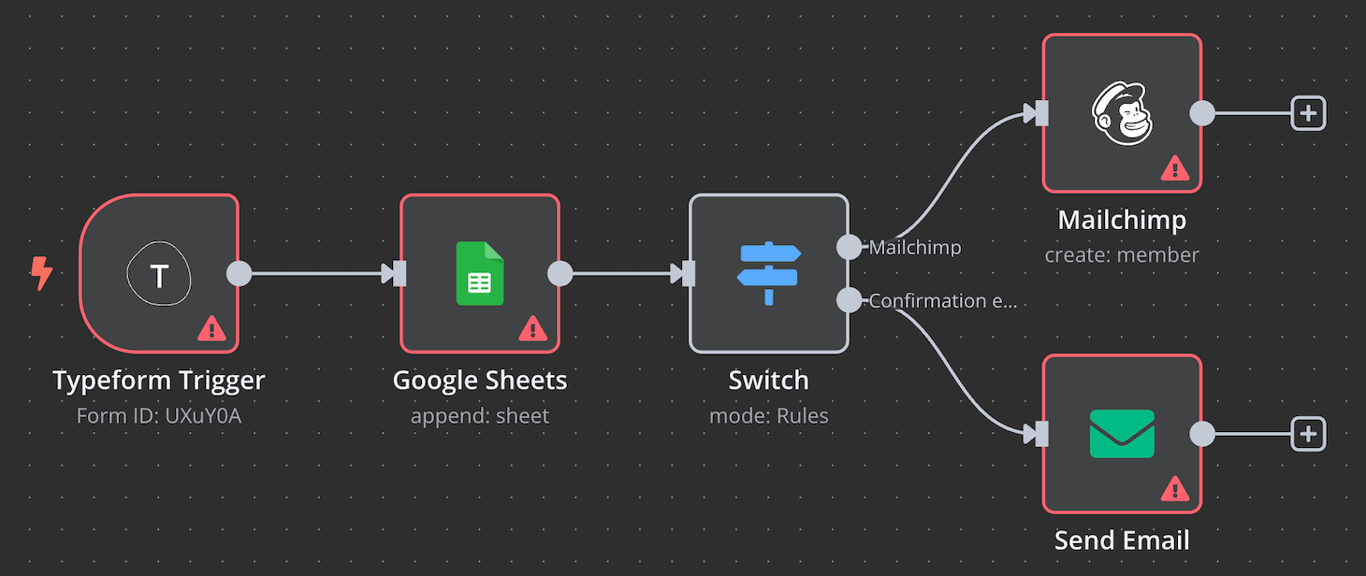
Now you add something that actually does work.
For your first workflow, beginners usually start with:
- Set node (to create sample data), or
- Google Sheets / Email / Slack node
Example beginner flow:
- Manual Trigger
- Set Node (add name, email, or message)
You connect nodes by dragging a line from one to the other. This visual connection is the core of how n8n works.
Step 4: Configure node settings
Click on a node to open its settings panel.
Here you:
- Enter values
- Map data from previous nodes
- Choose actions
n8n shows available data clearly, so you don’t need to guess. This is where beginners start understanding how data flows through a workflow.
Step 5: Run and test the workflow

Click “Execute Workflow”. n8n will:
- Run each node step by step
- Highlight completed nodes
- Show output data for every step
If something fails, you’ll see exactly where and why. This instant feedback loop is what makes learning n8n much easier than traditional scripting.
What do beginners learn from the first workflow?
By building just one simple workflow, you already understand:
- What triggers are
- How nodes connect
- How data moves
- How to test and debug
That foundation is more important than building complex automations early. Your first workflow doesn’t need to be useful or perfect. Its job is to teach you how n8n thinks. Once that clicks, everything else builds naturally. Most advanced n8n users started with the same simple steps you just learned. From here, you’re ready to explore real-world use cases, add logic, and slowly turn automation into a practical skill you can rely on.
Understanding Common n8n Nodes
Once you start building workflows in n8n, you’ll notice that everything revolves around nodes. Nodes are the building blocks of every automation. Each node has a clear role, and once you understand the most common ones, n8n stops feeling complex and starts feeling logical.
Instead of memorising every available node, beginners should focus on understanding patterns. Most workflows are created by combining a small set of core nodes in different ways. Let’s walk through the most important ones you’ll use again and again.
1. Trigger Nodes (Where Everything Begins)
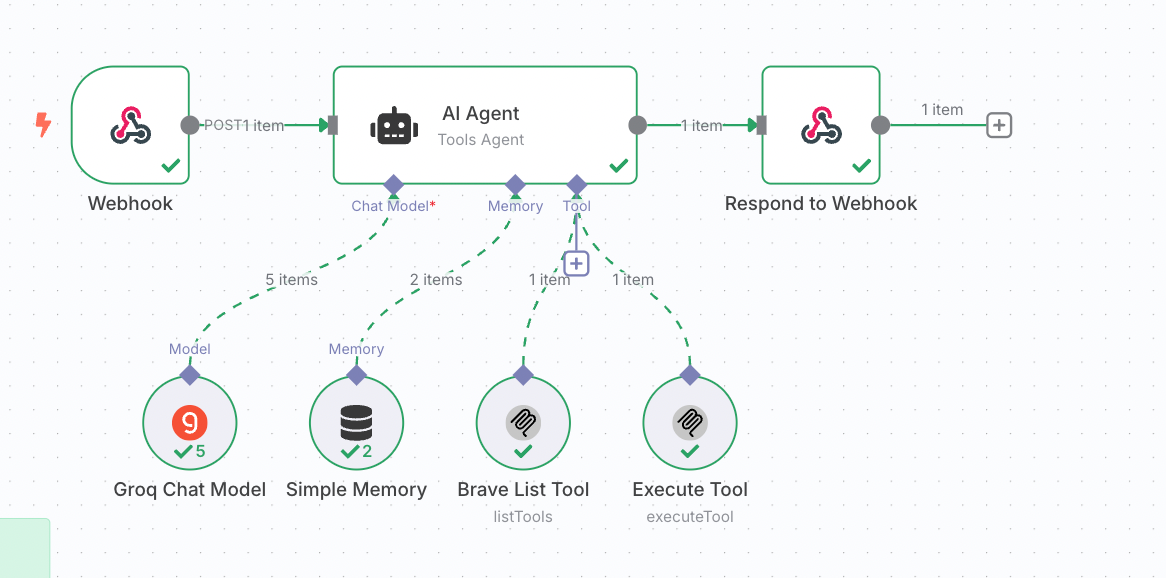
A trigger node decides when your workflow starts. No trigger means no automation.
Common beginner trigger nodes
- Manual Trigger: This is the best trigger for learning. You click a button and the workflow runs. It’s perfect for testing ideas and understanding data flow.
- Webhook Trigger: This starts a workflow when an external system sends data to n8n. For example, a form submission or an app event. Beginners often use this once they move beyond testing.
- Schedule (Cron) Trigger: Runs workflows at specific times. Daily reports, weekly summaries, or hourly checks all start here.
2. Action Nodes (Doing the Actual Work)


Action nodes perform tasks. They send emails, update records, post messages, or call APIs.
Common beginner action nodes
- Email / Messaging Nodes: Used to send emails or messages to Slack, Teams, or other platforms.
- Google Sheets Node: One of the most popular beginner nodes. You can add rows, update data, or read spreadsheets automatically.
- HTTP Request Node: This connects n8n to almost any app or API. It looks technical at first, but it’s extremely powerful once you get comfortable.
3. Set Node (Creating or Editing Data)

The Set node is one of the most important learning tools in n8n. It lets you create, rename, or modify data manually.
Why beginners love the Set node
- You can create sample data for testing
- You can clean or format values
- You can simplify complex outputs
For example, you might use a Set node to define:
- Name
- Message text
This makes later nodes easier to configure.
4. IF Node (Making Decisions)

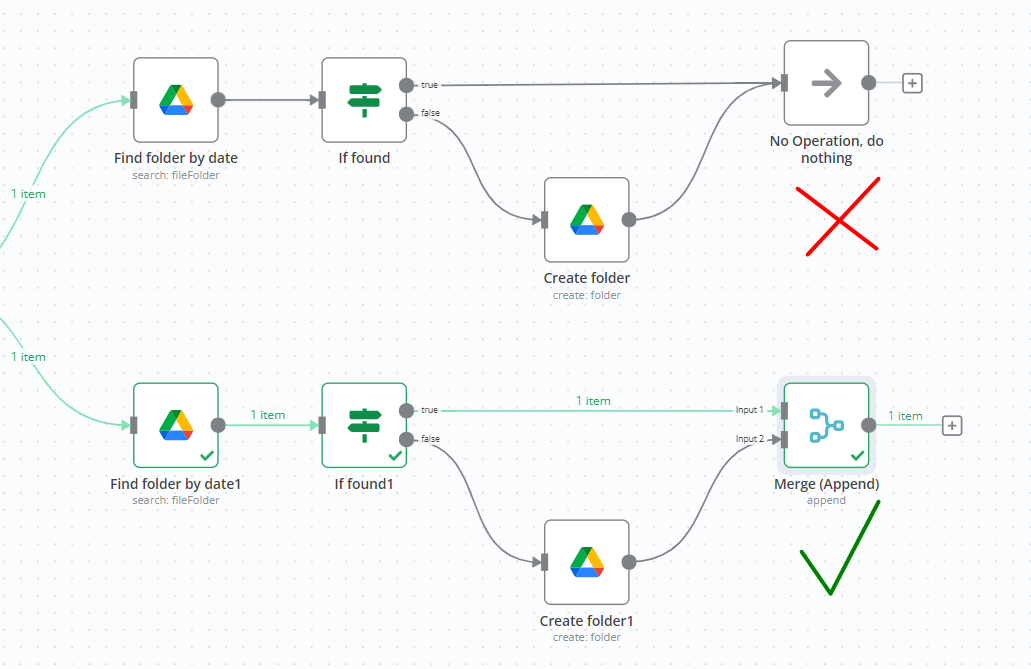
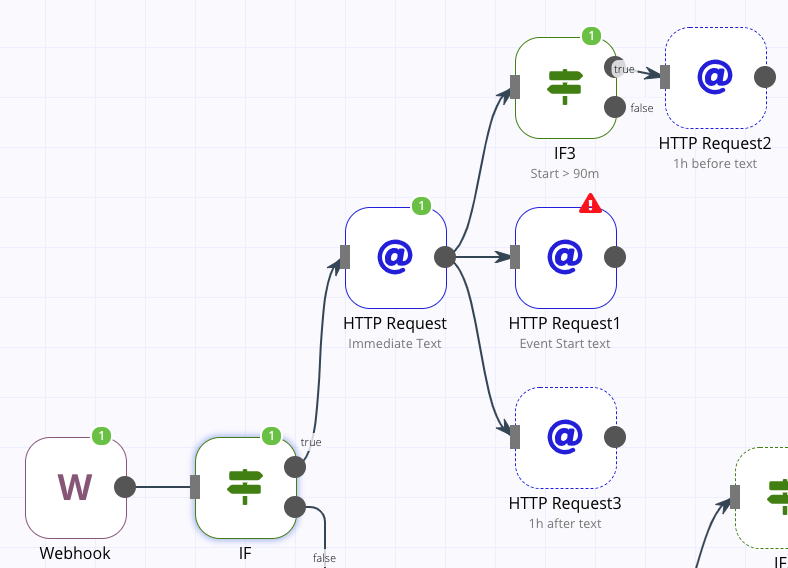
The IF node allows workflows to make decisions. This is where automation starts feeling intelligent.
What the IF node does
It checks conditions and splits the workflow into true or false paths.
Examples:
- If a payment is successful, continue
- If a value is missing, stop or alert
- If a lead score is high, notify sales
5. Merge Node (Combining Paths)
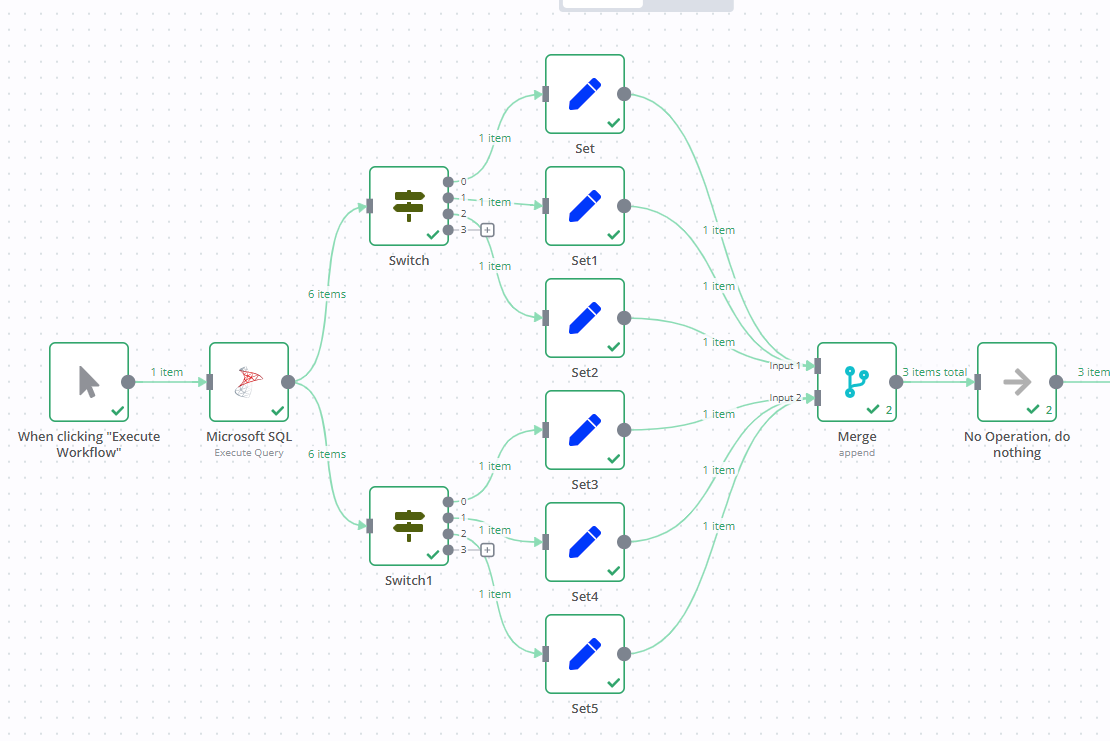
The Merge node brings data from different branches back together.
When beginners use Merge nodes
- When data comes from multiple sources
- When parallel paths need to reconnect
- When logic branches need a shared next step
This helps workflows stay organised instead of duplicating steps.
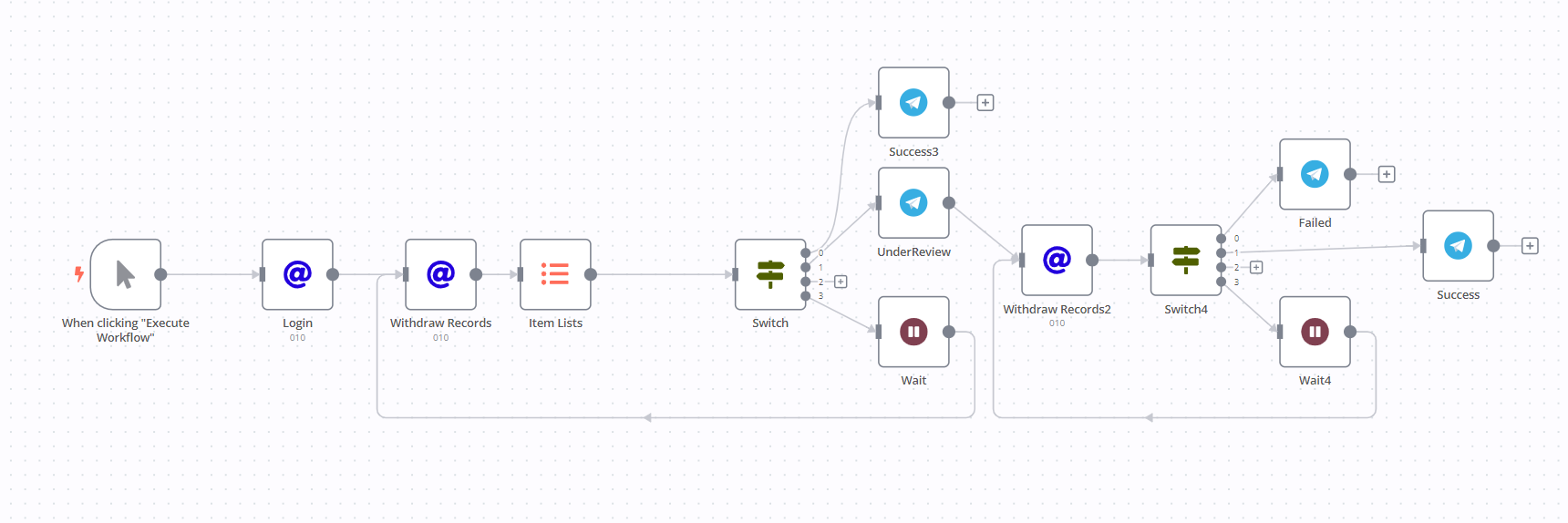
6. Wait Node (Pausing a Workflow)

The Wait node pauses a workflow for a set time or until a condition is met.
Beginner use cases
- Wait 1 day before sending a follow-up email
- Pause until approval is received
- Delay actions to avoid spamming
This teaches an important lesson. Automation doesn’t always mean instant execution.
7. Error Handling and Execution Nodes


Things will break. That’s normal. n8n allows you to:
- Detect failed nodes
- Create error workflows
- Send alerts when something goes wrong
For beginners, this builds confidence. You don’t need perfect workflows, just safe ones.
Best Practices for n8n Automation Beginners
When you are new to n8n, the biggest mistake is trying to be fast instead of being clear. Good automations start with simple thinking. Begin with workflows that solve one small problem end to end. Even a two-node workflow teaches you more than a complex one you don’t fully understand.
Testing is not optional. Run workflows manually, inspect every node’s output, and confirm the data looks exactly how you expect. This habit builds trust in your automations and prevents silent failures later. Naming workflows and nodes clearly also matters more than beginners realise. A clean, readable workflow is easier to debug and easier to improve months later.
Another strong practice is separating logic from actions. Use Set and IF nodes to prepare and validate data before sending it to other apps. This keeps workflows stable and easier to scale. Most importantly, stay curious. Every small improvement compounds over time.
- Start with small, single-purpose workflows
- Use Manual Trigger frequently while learning
- Test each node and inspect data outputs
- Name workflows and nodes clearly
- Use Set nodes to clean and organise data
- Add logic before actions, not after
- Treat failed runs as learning, not errors
- Improve workflows gradually over time
Common Mistakes to Avoid
Many beginners try to automate entire systems in one go. This usually leads to confusion and frustration. Automation works best when built in layers. First make it work, then make it better. Ignoring data structure is another common issue. If you don’t understand what data a node is sending forward, the next node will behave unpredictably. Always pause and inspect outputs. n8n gives you this visibility for a reason.
Another mistake is skipping error handling. Real-world workflows fail for reasons outside your control. APIs go down, permissions expire, and data changes. Learning how to detect and respond to failures early turns fragile workflows into reliable ones. Lastly, don’t wait to be “advanced” before building real workflows. Learning happens by doing, not by watching.
- Trying to automate complex systems too early
- Skipping data inspection between nodes
- Ignoring error handling and edge cases
- Building long workflows without testing
- Hardcoding values instead of using data mapping
- Forgetting to document what a workflow does
- Comparing beginner workflows with advanced examples
Skills You Build by Learning n8n
Learning n8n trains you to think in systems, not tasks. You learn how to break down processes, identify triggers, and define clear outcomes. This way of thinking is valuable in almost every modern role. You also gain hands-on experience with APIs, structured data, and workflow logic. Even without heavy coding, you become comfortable working with JSON, conditions, and integrations. These are foundational technical skills that transfer easily to other tools and platforms. Beyond tools, n8n builds confidence. You stop depending on manual workarounds and start designing solutions. That mindset shift is one of the biggest long-term benefits.
- Automation and systems thinking
- Breaking processes into logical steps
- Working with APIs and integrations
- Understanding JSON and structured data
- Designing reliable workflows
- Debugging and problem-solving
- Process optimisation and efficiency mindset
Career Opportunities with n8n Automation
Automation skills are no longer niche. They are becoming core requirements across marketing, operations, analytics, and product roles. Knowing n8n allows you to design and manage workflows that directly impact efficiency and cost. Professionals use n8n to grow into roles such as automation specialist, operations analyst, marketing automation manager, no-code developer, and workflow consultant. Freelancers and consultants also use n8n to deliver automation solutions to startups and small businesses. Because n8n is open-source and flexible, experience with it signals deep automation understanding, not just tool usage. That makes your skill set more adaptable and future-ready.
- Automation specialist or workflow designer
- Operations and process automation roles
- Marketing automation and CRM roles
- No-code or low-code developer
- Data and reporting automation roles
- Freelance automation consultant
- Startup and product operations roles
Final Thoughts and Learning Path for 2026
n8n is one of the best tools to learn automation properly in 2026. Start small. Focus on understanding triggers, nodes, and data flow before chasing complexity. Build workflows for real problems, even personal ones, and improve them gradually. Once the basics feel natural, explore branching logic, scheduling, and error handling. From there, move into advanced integrations and self-hosting if needed. Every stage builds on the last.
The most important step is consistency. A small workflow built regularly is far more valuable than a perfect one that never gets created. With time and practice, automation stops feeling technical and starts feeling natural. That is when n8n becomes a real skill, not just a tool.
- Begin with basic triggers and action nodes
- Practice with real, everyday use cases
- Focus on understanding data flow early
- Learn error handling once basics are clear
- Explore advanced logic step by step
- Consider self-hosting after gaining confidence
- Build consistently rather than perfectly



1 Comment. Leave new
Nice article. The way you explained the topic makes it easy for beginners to follow.