Selenium automation testing is one of the most in-demand technical skills in the software industry today. As organisations accelerate their software delivery cycles through DevOps and Agile practices, the need for professionals who can build, maintain, and scale automated test suites has grown sharply across IT companies, product firms, and QA teams. The Vskills Certified Selenium Automation Tester using Python certification validates your ability to design and execute automation frameworks using Selenium WebDriver with Python — one of the most widely adopted technology combinations in the QA profession. Backed by government recognition and lifetime validity, this certification gives you the credibility to pursue automation testing roles at leading technology companies across India and globally.
Why Choose Vskills Selenium Automation using Python Certification?
- Government-Verified Certification: Vskills is a Government initiative in assessment and learning. Your certificate carries government-backed credibility that private certifications cannot offer — recognised by recruiters at 4,000+ companies across India.
- Lifetime Validity — No Renewal Fees: Your Vskills certification is valid for life. Unlike annual-subscription certifications, you pay once and remain certified permanently — with no recurring fees or mandatory re-examinations.
- Job Centre Support for Life: Your CV is actively shared with Vskills' network of recruiting partners — spanning private IT companies, MNCs, and Government PSUs — on a continuous basis. Career support does not end at certification.
- Flexible Online Exam — Attempt Anytime: The certification exam is conducted online with no fixed schedule. You can attempt it when you are ready, at your own pace — making it ideal for working professionals and students managing other commitments simultaneously.
- Lifetime e-Learning Access: Receive a hard copy certificate for your professional credentials along with lifetime access to the course study material — so you can revisit content as Selenium releases new versions or your role evolves.
- Industry-Relevant Curriculum: The syllabus covers the full Selenium automation stack — Python fundamentals, WebDriver core, advanced locators, Pytest framework, Page Object Model, data-driven testing, and CI/CD integration with Jenkins — aligned with what QA and automation roles actually demand on the job.
- Affordable and Transparent Pricing: Vskills certifications are competitively priced relative to premium alternatives, with no hidden costs. Study material, practice tests, and the exam are all included in a single fee.
Who should Enroll?
The Vskills Certified Selenium Automation Tester using Python certification is designed for a wide range of professionals and learners looking to enter or advance in the automation testing field.
- Manual QA Testers Transitioning to Automation: Testing professionals with manual testing experience who want to move into automation roles and need a structured, recognised qualification to make that transition credible to employers.
- Software Developers Adding QA Skills: Developers who want to expand their skill set into test automation — particularly those already familiar with Python — and are looking to formalise their testing knowledge with a certification.
- Fresh Graduates and Engineering Students: Computer science, IT, and engineering graduates who want to build a strong foundation in Selenium and Python-based automation testing before entering the job market.
- QA Engineers Looking to Upskill: Existing QA professionals who already work with Selenium in some capacity and want a government-certified credential to support salary negotiations, promotions, or job applications.
- IT Professionals Changing Roles: Professionals from related IT roles — business analysts, support engineers, or technical writers — who want to pivot into QA automation, one of the fastest-growing segments of the software industry.
- Freelancers and Independent Consultants: Independent QA consultants who want a government-verified credential to present to clients and differentiate themselves in a competitive freelance market.
What you will Learn?
The Vskills Certified Selenium Automation Tester using Python certification provides comprehensive coverage of both Python programming fundamentals and Selenium WebDriver automation — giving you the technical depth to build production-grade test automation frameworks from scratch.
The curriculum begins with core Python concepts including variables, data types, control flow, functions, object-oriented programming, exception handling, and file operations — ensuring that even learners with limited Python exposure can build a strong foundation. It then moves into Selenium WebDriver, covering browser setup, element inspection, locators including XPath and CSS Selectors, WebElement interactions, waits, advanced interactions, and switch handling for windows and iframes.
The later sections of the curriculum focus on automation framework design — including the Page Object Model, Pytest, data-driven testing, logging, screenshot capture, and running complete test suites. The course concludes with version control using Git and GitHub and continuous integration with Jenkins, preparing you for real-world DevOps-integrated QA environments.
Below is the complete course structure covered in this certification:
Module 1 — Introduction
- Introduction
- Why Selenium?
- Selenium WebDriver Architecture
- How to Reach Me Anytime
Module 2 — Setup and Configuration
- Python Installation – Windows
- Configuration of Python – Windows
- Python Installation and Setup – Mac
- First Project Creation and PyCharm Installation
- Must-Watch Lecture Before Moving Forward
- Package Management Using PIP
- Installing iPython
Module 3 — Understanding Variables and Data Type
- Python Terminal Walkthrough
- Understanding Objects and References
- Variable Rules
- Numbers – Data Type and Math Operations
- Numbers – Exponentiation and Modulo
- Arithmetic Order of Precedence
- Boolean Data Type
- Working with Strings in Python
- String Methods - Part 1
- String Methods - Part 2
- String Slicing and Indexing
- Strings Formatting
Module 4 — Advanced Data Types
- List and Accessing the Elements
- List Methods
- Working with a Dictionary
- Nested Dictionary
- Dictionary Methods
- Working with Tuple
Module 5 — Comparison and Boolean Operators
- Working with Comparison Operators
- Understanding Boolean Operators
- Boolean Operators - Order of Precedence
Module 6 — Program Control Flow
- Conditional Logic - If Else Conditions
- While Loop Demo
- Break Continue and While/Else
- For Loop Demo
- Iterating Multiple Lists - Using the Zip Function
- Using Range Function in For Loop
Module 7 — Functions/Methods - Working with Reusable Code
- Understanding Methods
- Working with Return Values
- Working with Positional/Optional Parameters
- Understanding Variable Scope
- More Built-In Functions
- Practice Exercise with Solution Homework
Module 8 — Classes – Object-Oriented Programming
- Understanding Objects/Classes
- Create Your Own Object
- Create Your Own Methods
- Inheritance
- Method Overriding
- Practice Exercise with Solution Homework
Module 9 — Exception Handling
- Exception Handling Demo
- Finally and Else Block
- Practice Exercise with Solution Homework
Module 10 — Modules
- Built-in Modules
- Create Your Own Modules
Module 11 — Working with Files
- How to Write Data to a File
- How to Read a File
- File Handling Using the "With" and "As" Keywords
Module 12 — How To Inspect Elements On Different Browsers
- Introduction
- Inspecting Elements Using Firefox DevTools
- Inspecting Elements Using Chrome DevTools
- SelectorsHub Installation
- How to Use SelectorsHub
- Tricks to Generate XPath
- Best Inspect Element Tool
- How To Inspect Disappearing Elements
Module 13 — Selenium WebDriver Setup and Installation
- Selenium WebDriver Installation
- Installing Selenium Plug-In to PyCharm
Module 14 — Selenium WebDriver Running Tests on Various Browsers
- Running Tests on FF, Chrome, Edge - Windows
- Running Tests on FF, Chrome, Edge - Mac
- Selenium 4 New Syntax
- Requirements To Run Tests On Safari
- Running Tests On Safari
- How To Set Drivers In System Path – Mac
- How To Set Drivers In System Path – Windows
- Interview Questions
Module 15 — Selenium WebDriver - Finding Elements
- Understanding Elements and Document Object Model (DOM)
- Finding Element by ID and Name
- Understanding Dynamic IDs and Selenium Exception
- Finding Elements by XPath and CSS Selectors
- Finding Elements by Link Text
- Finding Elements by Class Name and Tag Name
- Finding a List of Elements
- Interview Questions
Module 16 — CSS Selectors - Advanced Locators
- Using IDs with CSS Selectors to Find Elements
- Using Multiple CSS Classes to Find Elements
- Using Wildcards with CSS Selectors
- Finding Child Nodes Using CSS Selectors
Module 17 — XPath - Advanced Locators
- Difference Between Absolute and Relative XPath
- Building an Effective XPath
- Using Text to Build an Effective XPath
- Building XPath Using the Contains Keyword
- Building XPath Using the Starts-With Keyword
- Finding Parent and Sibling Nodes
- Practice Exercise with Solution + Interview Question
Module 18 — Selenium WebDriver - Working with WebElements
- Browser Interactions Introduction
- Browser Interaction Practical Implementation
- Clicking and Typing on a WebElement
- Finding the State of a WebElement (Disabled and Enabled Elements)
- Working with Radio Buttons and Checkboxes
- Working with Elements List
- Understanding Drop-Down Elements
- Working with a Drop-Down Element - Practical Example
- Working with Hidden Elements
- Working with Hidden Elements - Practical Example
- Interview Questions
Module 19 — Selenium WebDriver - Useful Methods and Properties
- Getting the Text on an Element
- Getting the Value of an Element Attribute
- Generic Method to Find Elements
- Checking Whether the Element Is Present
- Building Dynamic XPath
- Interview Questions
Module 20 — Selenium WebDriver - Wait Types
- Implicit Wait Versus Explicit Wait
- Implicit Wait - Practical Example
- Explicit Wait - Practical Example
- Generic Method to Work with Explicit Wait
- Interview Questions
Module 21 — Selenium WebDriver – Advanced Interactions
- Calendar Selection Introduction
- Calendar Selection - Practical Example
- Calendar Selection – Real-Time Example
- AutoComplete - Working with Dynamic Dropdowns
- AutoComplete - Additional Examples
- How to Take Screenshots
- Generic Method to Take Screenshots
- Executing JavaScript Commands
- How to Find Size of the Window
- How to Scroll Element into View
- Interview Questions
Module 22 — Selenium WebDriver - File Upload and Download
- File Upload - Native Way
- File Upload – System Explorer
Module 23 — Selenium WebDriver - Switch Window and iframes
- Switching Window Focus
- Switching Window Focus - Practical Example
- Working with iframes
- Switching iframe Focus - Practical Example
- Handling JavaScript Pop-Up
Module 24 — Selenium WebDriver - Working with Actions Class
- Mouse Hover Actions
- Dragging and Dropping an Element on a Webpage
- Working with Sliders Actions
Module 25 — Logging Infrastructure
- Introduction to Logging Infrastructure
- Changing the Format of Logs
- Logger - Console Example
- Logger - Configuration File Example
- Writing a Generic Custom Logger Utility
Module 26 — Unittest Infrastructure
- Unittest Introduction
- Writing Your First Test Case
- Implementing Class Level Setup and TearDown Methods
- Asserting a Test Method
- How to Export PYTHONPATH – Must Watch
- How to Run Code from Terminal
- How to Create a Test Suite
Module 27 — Pytest - Advanced Testing Framework
- Pytest Installation and Writing Your First Script
- Working with Pytest Fixtures
- Multiple Ways to Run Test Cases
- Conftest - Common Fixtures to Multiple Modules
- Maintaining Run Order of Tests
- Running Tests Based on Command-Line Arguments
- Structure Tests in a Test Class
- Returning a Value from Fixtures
- Generating HTML Test Report
Module 28 — Automation Framework - Part 1
- Automation Framework Introduction
- Understanding Framework Structure
- Where to Practice the Framework?
- Test Scenario without Framework
- Converting Test Case to the Page Object Model (POM) Framework
- Refactoring Your Page Object Class - Part 1
- Building Your Custom Selenium Driver Class
- Refactoring Your Page Object Class - Part 2
Module 29 — Automation Framework - Part 2
- Adding Logging to Automation Framework
- Verifying Test Case Result
- Completing Login Page Test Cases
- Creating Conftest to Implement Common Setup Methods
- Refactoring Conftest to Make the Framework More Readable
Module 30 — Automation Framework - Part 3
- Asserting without Stopping Test Execution
- Asserting without Stopping Test Execution - Practical Example - Part 1
- Asserting without Stopping Test Execution - Practical Example - Part 2
- Implementing Screenshots in a Framework
- Taking Screenshots on Test Failure
- BasePage and Util Concept Introduction
- Inheriting the BasePage Class
Module 31 — Automation Framework - Practice Exercise
- Custom Driver - Additional Methods before Exercise
- Practice Exercise Question
- Finding Element Locators - Solution - Part 1
- Creating Register Courses Page Class - Solution - Part 2
- Creating Register Courses Test Class - Solution Part 3
- Practice Exercise Solution Update - Part 1
- Practice Exercise Solution Update - Part 2
- Handling Dynamic iframes in the Automation Framework
Module 32 — Data-Driven Testing
- Setup and Configuration
- Data-Driven Testing - Practical Implementation
- Utility to Read CSV Data
- Multiple Datasets - Test Case Practical Example
Module 33 — Running Complete Test Suite
- Managing Navigation in an Automation Framework
- Refactoring Login Tests
- Running a Test Suite
- Running Test Suite on Chrome
Module 34 — Git and GitHub - Version Control System
- Git and GitHub Introduction
- Git Installation on Windows
- Git Installation on Mac
- Creating Local Git Repository - Staging and Commit
- File Check In - GitHub Remote Repository
- Advantages and Importance of Git Branches
- File Check in and Resolving Merge Conflicts – Real-Time Example
- Course Code Files on GitHub
- GitHub Project Check-In and Clone
Module 35 — Continuous Integration with Jenkins
- Jenkins Features and Advantages
- Jenkins Prerequisites
- Jenkins Setup and Installation - Generic WAR File
- Jenkins Setup and Installation – Windows
- Jenkins Setup and Installation – Mac
- Securing Jenkins
- Jenkins Plug-Ins Management
- Building a Remote Project Using Git and Jenkins
Exam and Certification Details
| Detail | Information |
|---|
| Exam Format | Online — attempt from anywhere, anytime |
| Number of Questions | 50 multiple-choice questions |
| Duration | 60 minutes |
| Passing Score | 25 out of 50 (50%) — no negative marking |
| Certificate Validity | Lifetime — no renewal required |
| e-Learning Access | Lifetime access to LMS and future content updates |
| Result | Instant — available immediately after exam completion |
| Language | English
|
Career Outcome for Vskills Certified Professionals
Earning the Vskills Certified Selenium Automation Tester using Python certification prepares you for a broad range of automation and QA roles across the software industry. Here are the key career paths and roles available to certified professionals:
| Job Role | Industry | Avg. Salary (India) | Experience Level |
|---|
| Automation Test Engineer | IT Services, Fintech | ₹4 – ₹7 LPA | Fresher – 2 years |
| Selenium QA Engineer | Product, BFSI, IT | ₹6 – ₹10 LPA | 1 – 3 years |
| QA Automation Lead | MNC, Consulting | ₹12 – ₹18 LPA | 3 – 6 years |
| SDET (Software Dev Engineer in Test) | E-commerce, Cloud | ₹15 – ₹25 LPA | 2 – 5 years |
| Test Automation Architect | Enterprise, Product | ₹22 – ₹35 LPA | 6 – 10 years |
| DevOps QA / Quality Engineering Manager | SaaS, MNC, Startup | ₹25 – ₹45 LPA | 10+ years |
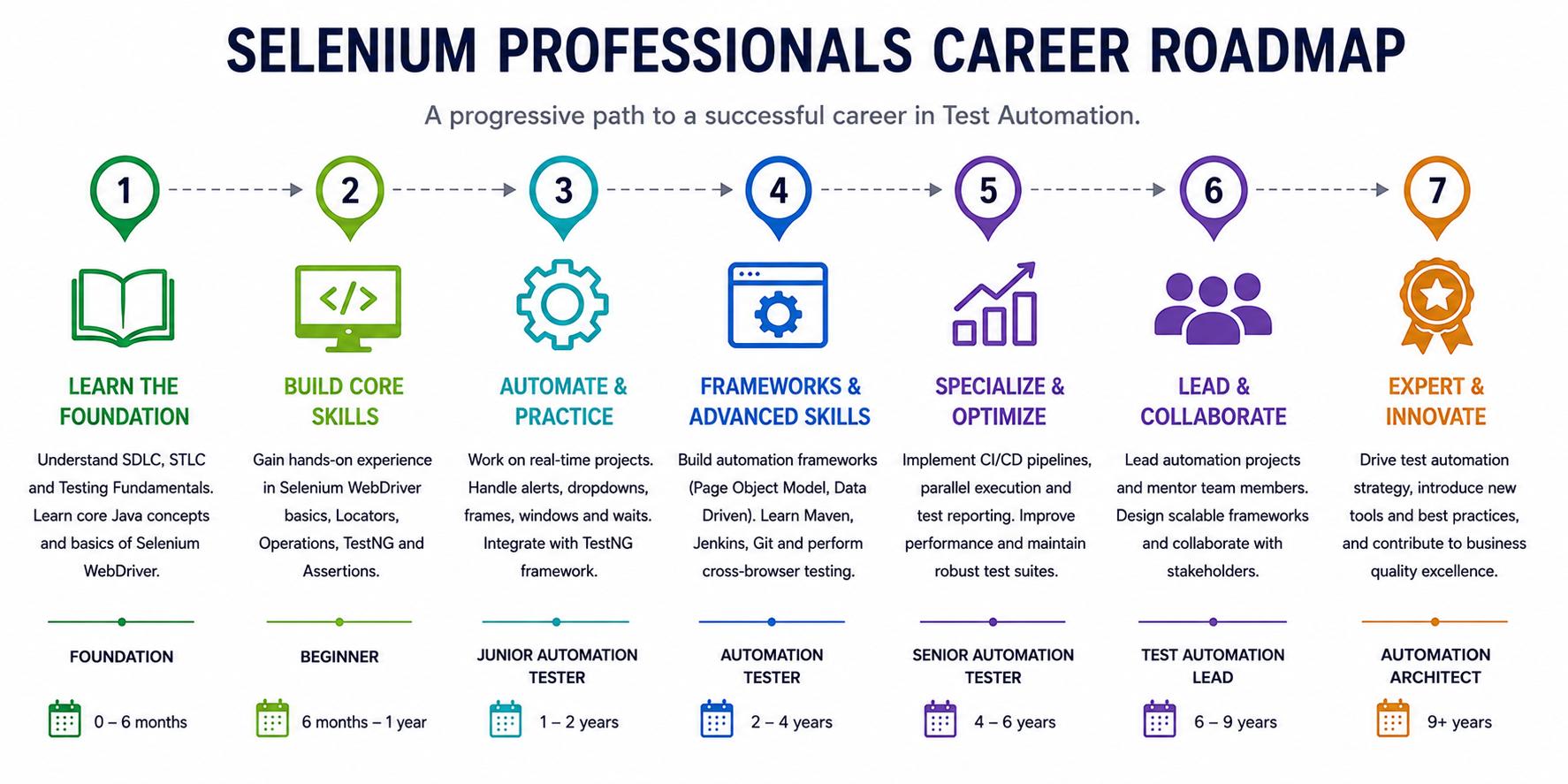
Selenium Testing Professional Career Roadmap
Companies that hire Vskills Selenium Automation Using Python Professionals.
Vskills certified professionals are actively recruited by leading technology companies, IT services firms, product companies, and BFSI organisations across India. Automation testing skills are in demand across virtually every sector that builds or maintains software. Here is a representative list of companies that hire Vskills certified professionals:
IBM, Accenture, Capgemini, Cognizant, TCS, Infosys, Wipro, HCL Technologies, Tech Mahindra, Mphasis, Genpact, Hexaware, Mindtree, LTIMindtree, Persistent Systems, EPAM Systems, Flipkart, Amazon, Paytm, PhonePe, Zoho, Deloitte, PwC etc.
Note: CVs of all Vskills Certified candidates are shared with recruiters across this network on a regular basis through the Vskills Job Centre — giving you ongoing, lifetime exposure to hiring opportunities in the automation testing domain.

Selenium Automation using Python Sample Questions
https://www.vskills.in/certification/selenium-automation-using-python-sample-questions
Selenium Automation using Python Practice Test
https://www.vskills.in/practice/selenium-automation-tester-using-python
Selenium Automation using Python Interview Questions
https://www.vskills.in/interview-questions/selenium-automation-tester-using-python-interview-questions
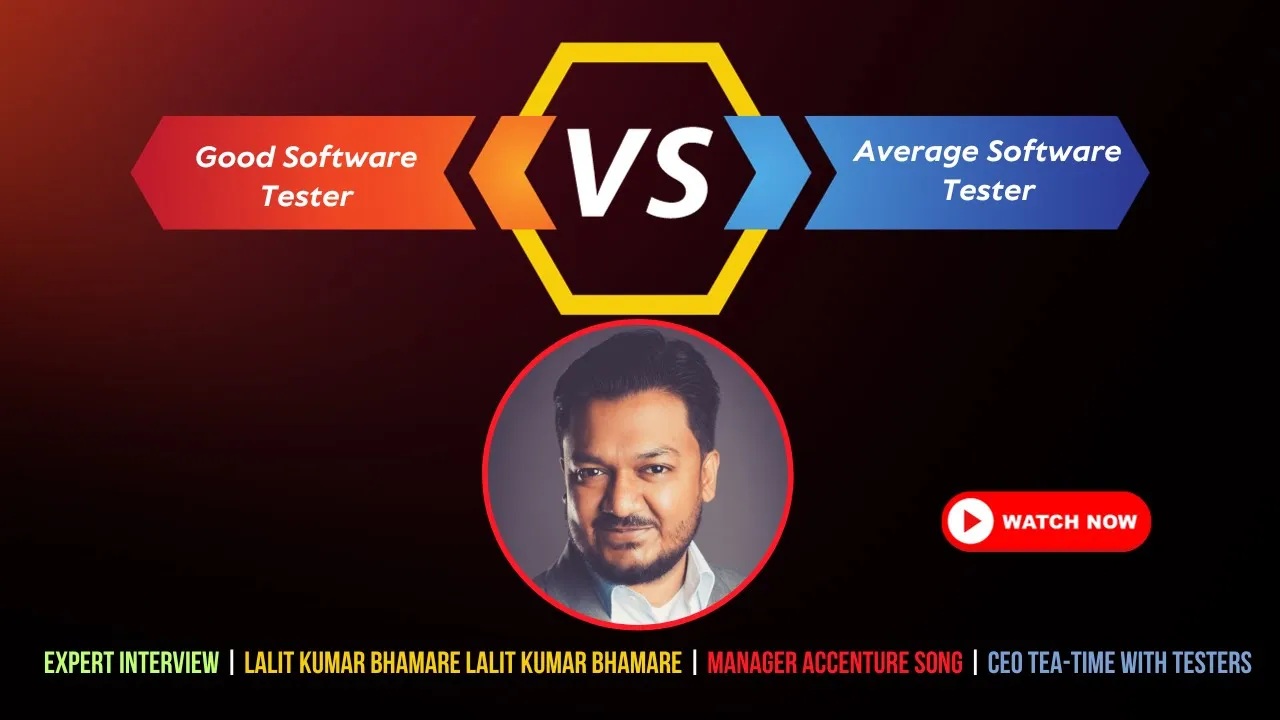
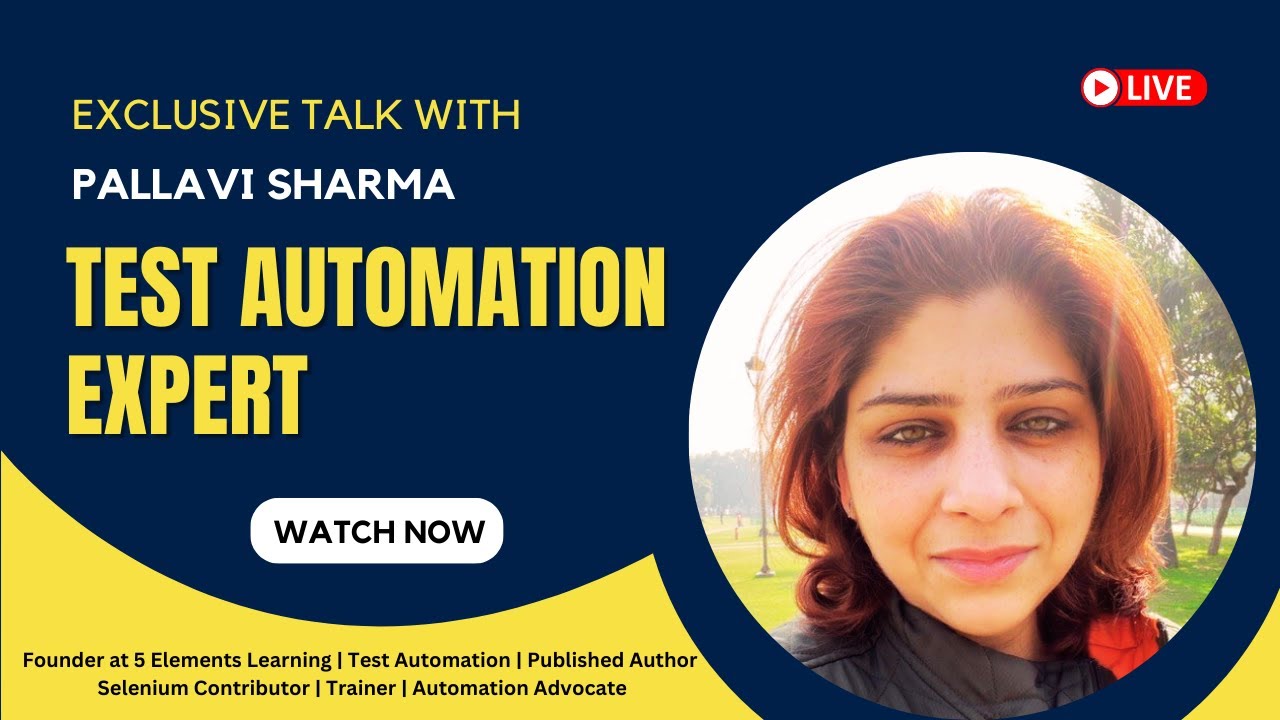
Domain Expert Interview Series







Selenium Automation using Python Related Blogs
- Top Selenium Jobs in Bangalore
- How I got a job after clearing the Vskills Selenium Certification?
- Future Scope and Trends of Selenium Automation Testing for Beginners in 2022